CASE STUDY
Transaction Viewer
PROJECT BRIEF
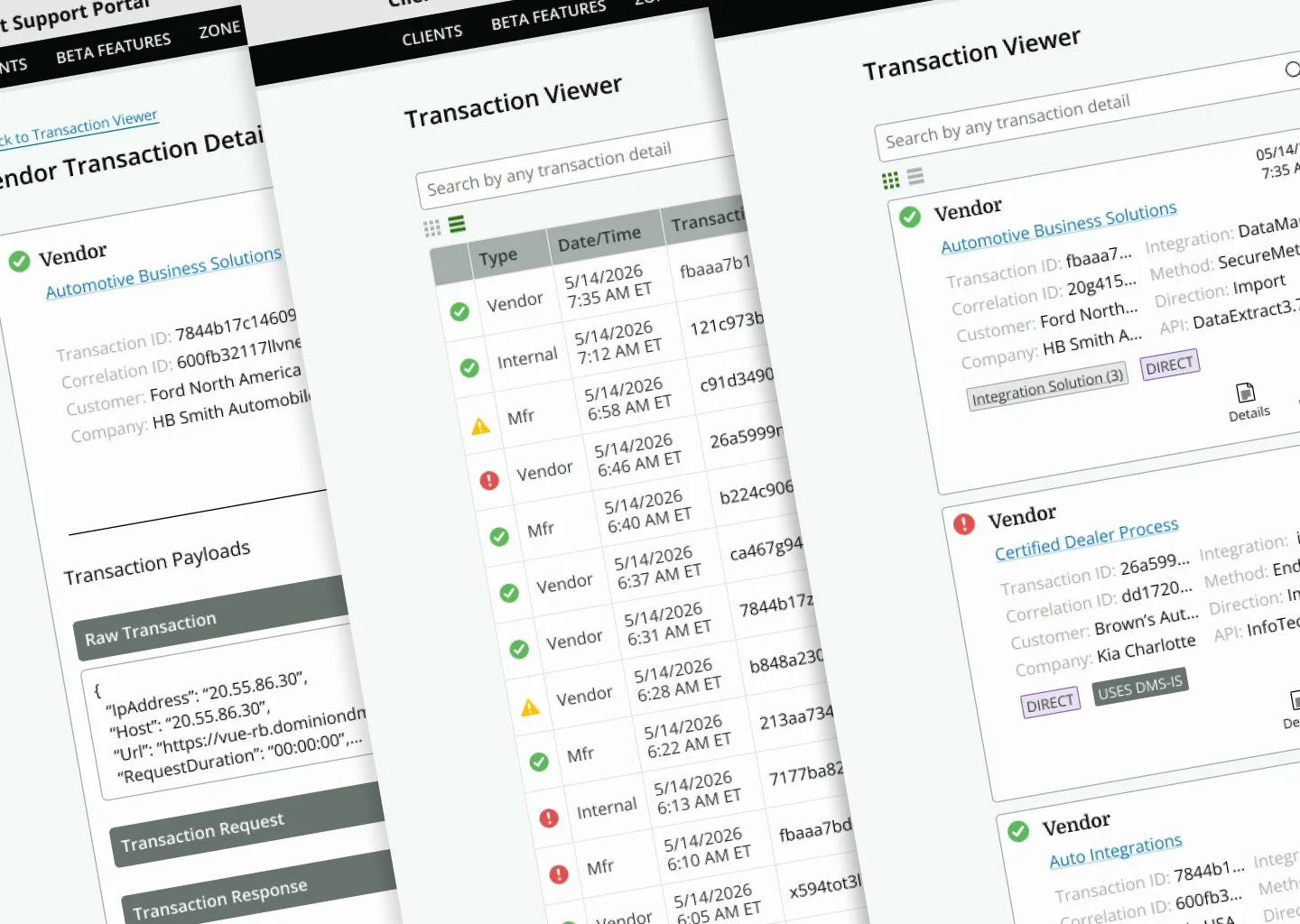
The transaction viewer aims to provide details about all transactions that have occurred between the software, third parties, and manufacturers. Initial view of the transactions will display top-level information and include the ability to drill down for more comprehensive details.
CLIENT NEEDS
Improve transaction history security by transitioning the viewer to the client support portal
Audit users/roles who have viewed, copied, and/or downloaded transaction history
Copy or download XML files as part of audit
USER NEEDS
Filter transactions by date range, type, customer, manufacturer, health, method, direction
View, copy, and/or download transaction history
Clear visual communication if the transaction is successful, has errors or warnings
Search by any transaction detail (transaction ID, correlation ID, vendor, integration, manufacturer)
Discovery

We looked at the transactions, who accesses them and how the information is used.
The main goal for this project was to create a more secure environment for accessing the transactions.
The purpose of the viewer is to give client support agents insight into the cause of client-reported issues with the software.
Clients don’t need direct access to the transactions. Agents can share the data with the client, vendor or manufacturer to troubleshoot on an as-needed basis.
Moving the viewer to the support portal will make it more secure and allow agents to control and audit who has access to the data.
We interviewed the client service team to ascertain what additional features would make the viewer more useful.
Definition
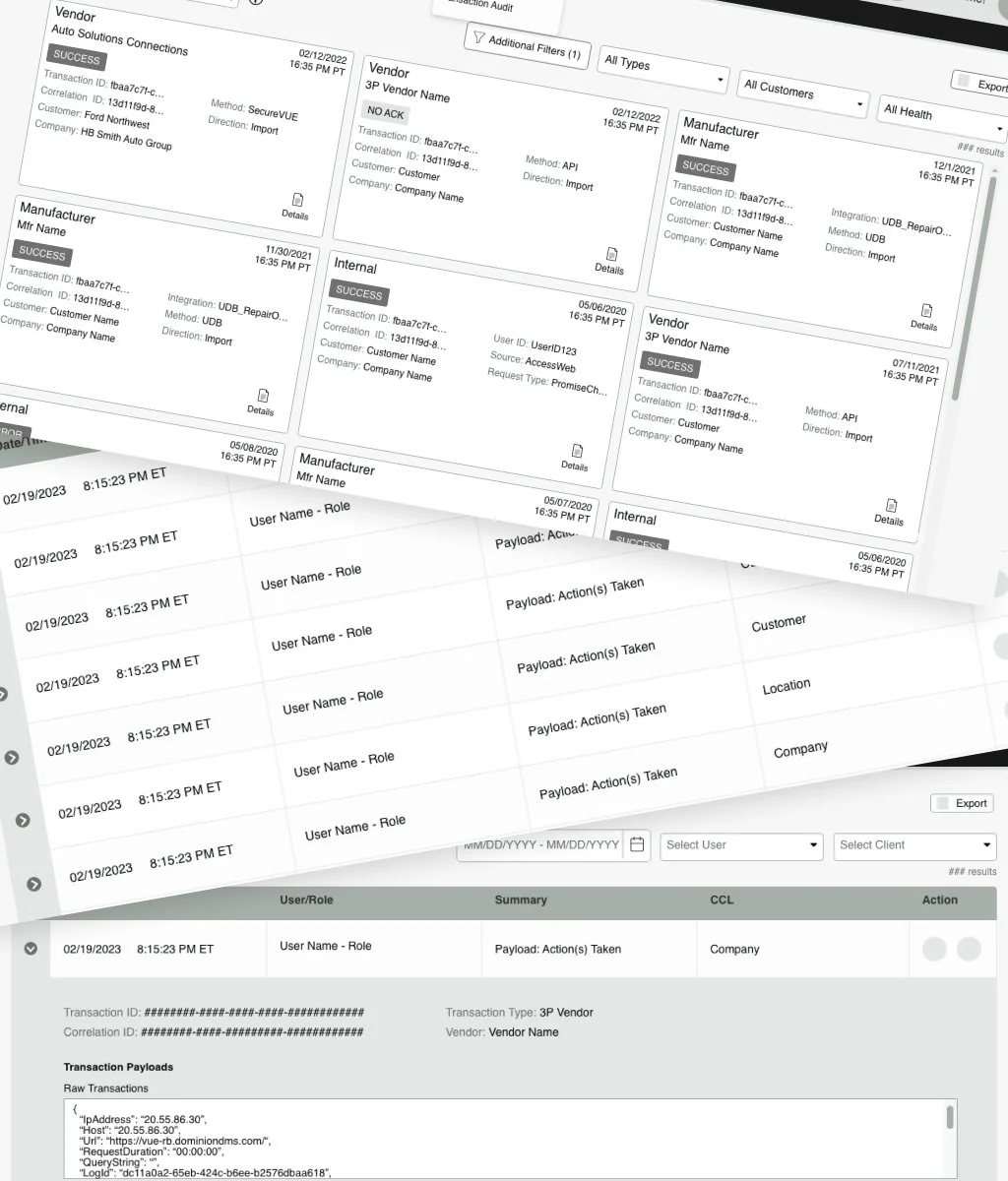
Problem Statement: The client service team needs a secure way to access internal transactions as well as those with vendors and manufacturers. Provide a snapshot of each transaction with the ability to drill down for more information. Transactions can be sorted and filtered for ease of discovery. Auditing of the transaction data is a necessary security feature.
Project Scope: Developers outlined the minimum requirements for displaying transaction data.
This guided us to determining which data filters were mandatory and therefore most helpful to have a permanent position on screen. Secondary filters can be found and utilized via a modal at the user’s discretion.
User Journeys: Filter usage informed the user experience for the two personas, client service agent and client service manager. The latter needs the audit feature to review agent access to the data should any security breaches occur.
←During this phase, we also conducted two stages of usability testing with low-fidelity wireframes.
Ideation & Design
Prototype
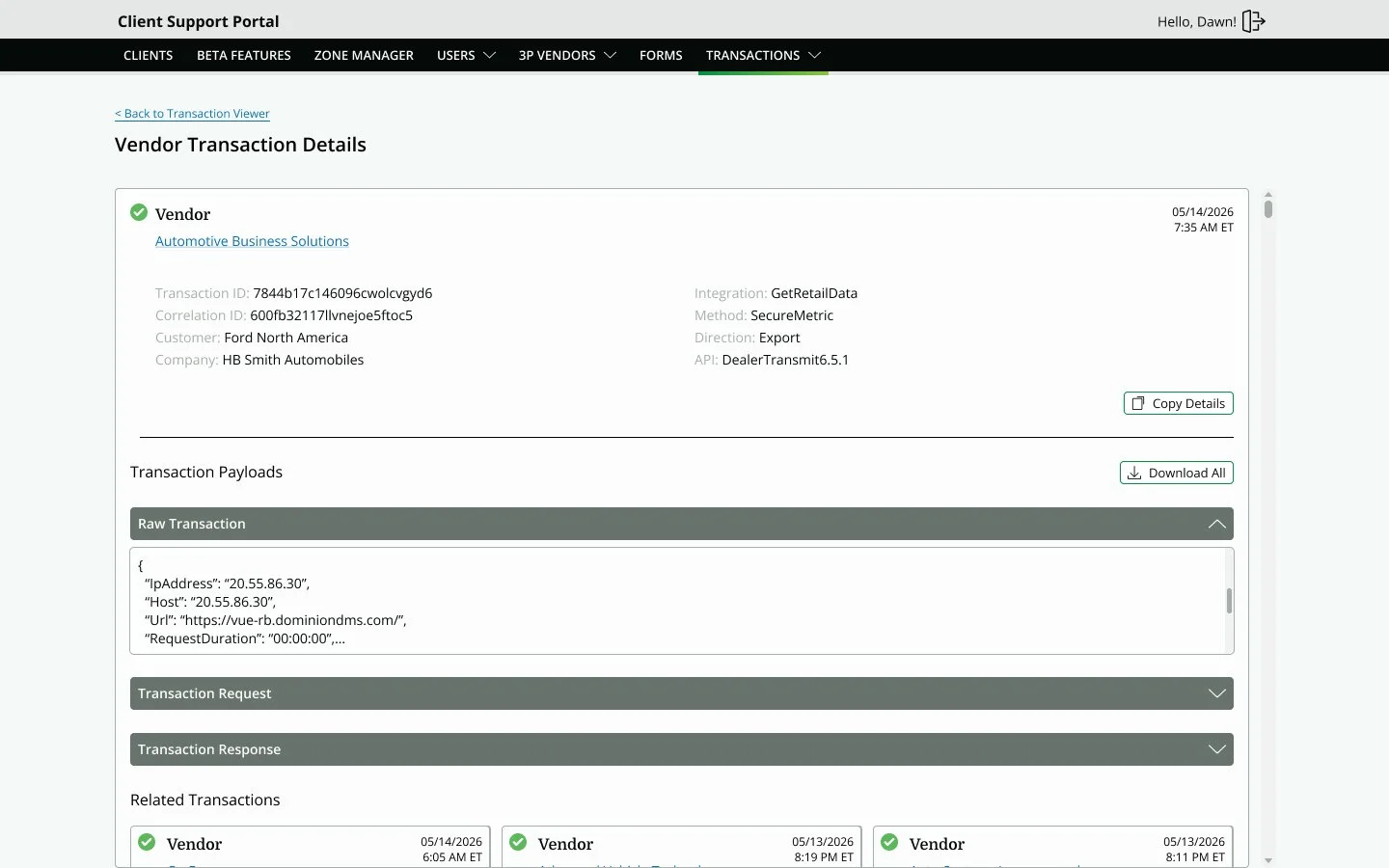
The mock-up serves as a tangible communication tool that helped the stakeholders, developers, and I agree on how this solution would function. It also brought to life the two viewing options we discovered that users wanted; card view and list view.
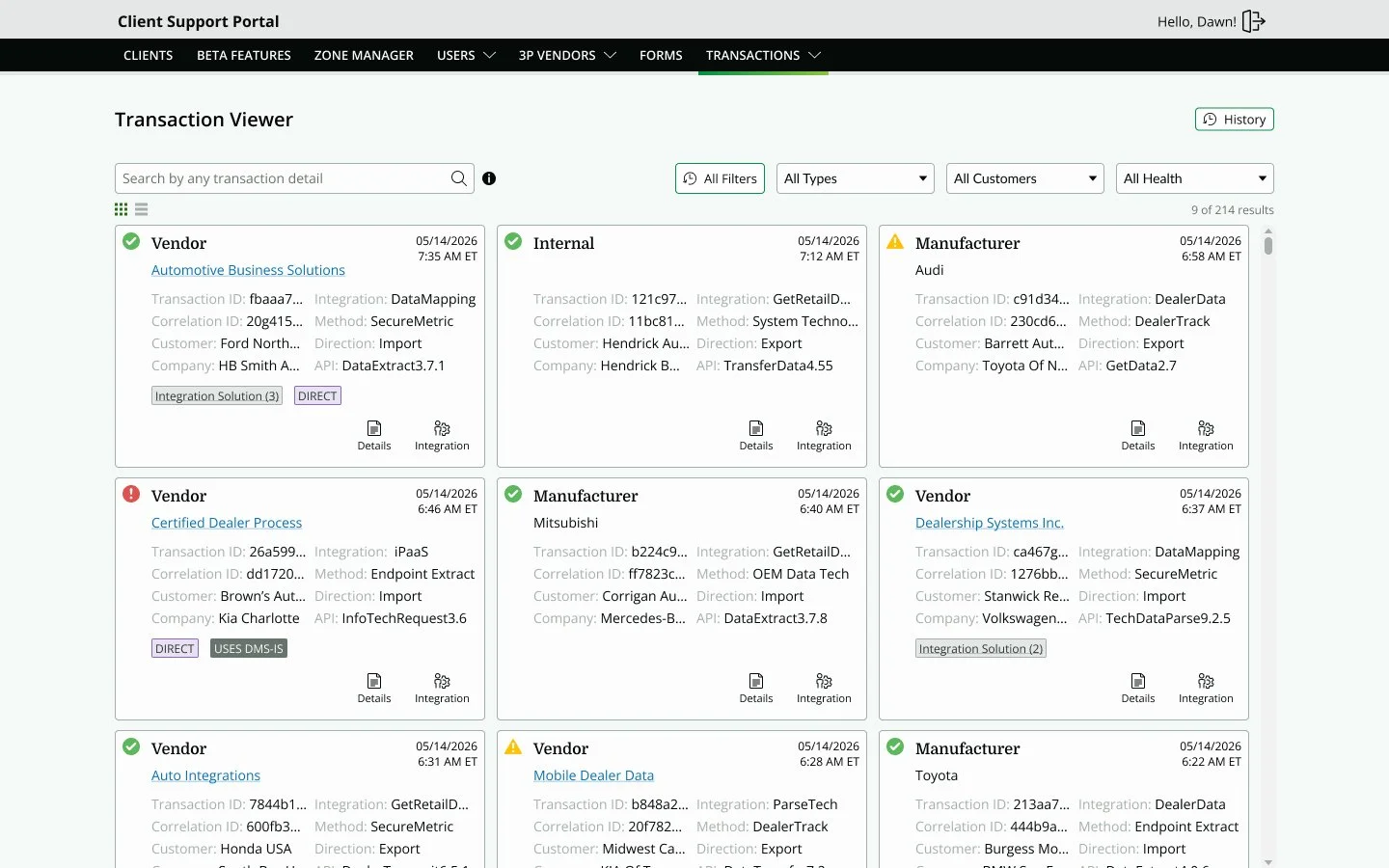
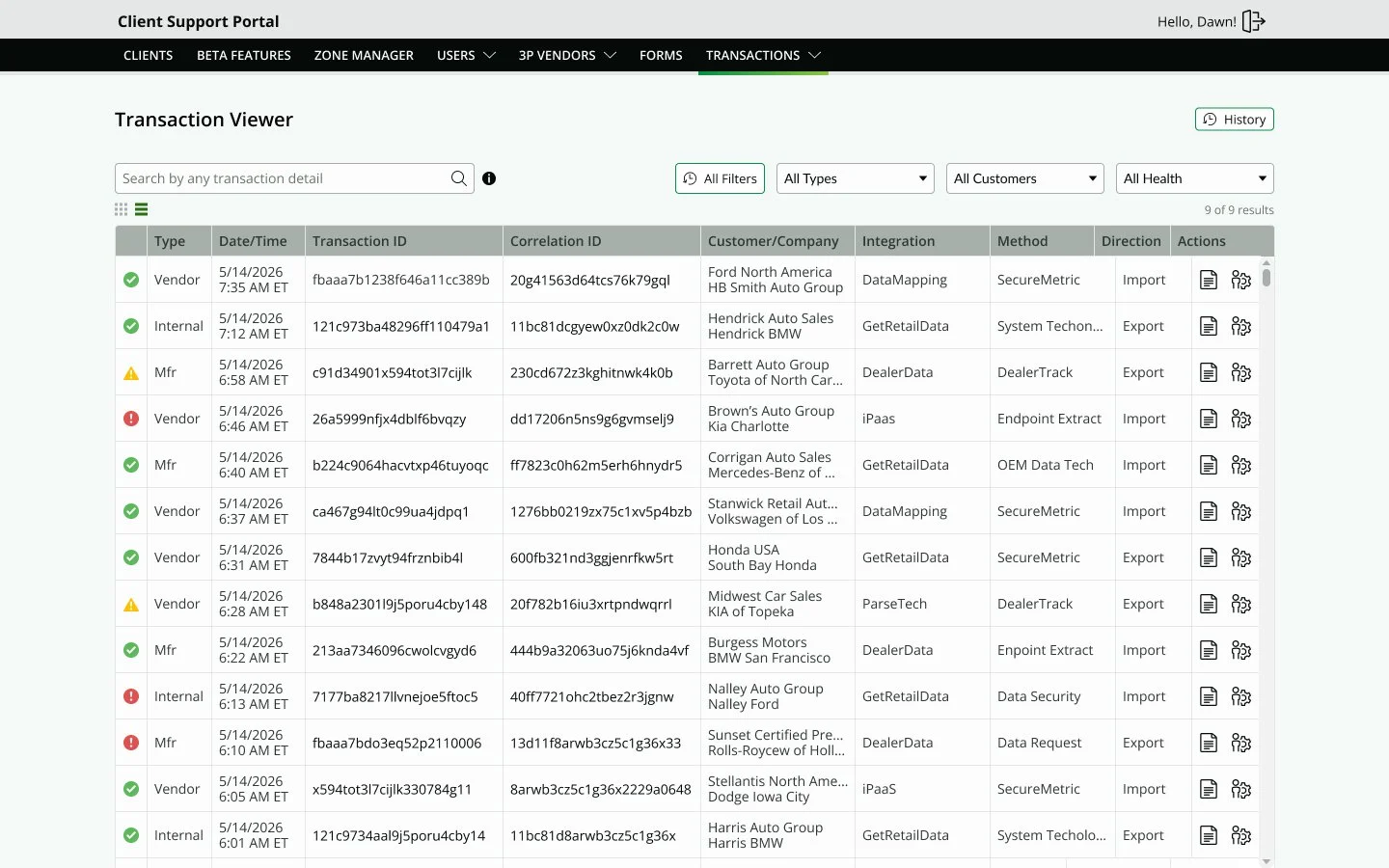
Prototype designed in Figma. Get started for free to create an account.