CASE STUDY
Payment Processing
OVERVIEW
A car dealership's Accounts Payable (AP) workflow differs from standard corporate AP because it manages high-value transactions across multiple specialized departments, from inventory/flooring financing to parts inventory, sublet repairs, and vendor services. The software already had a payment interface, but it needed redesign/refinement to improve usability for dealership customers.
GOALS
Process vendor payments in a timely, efficient manner
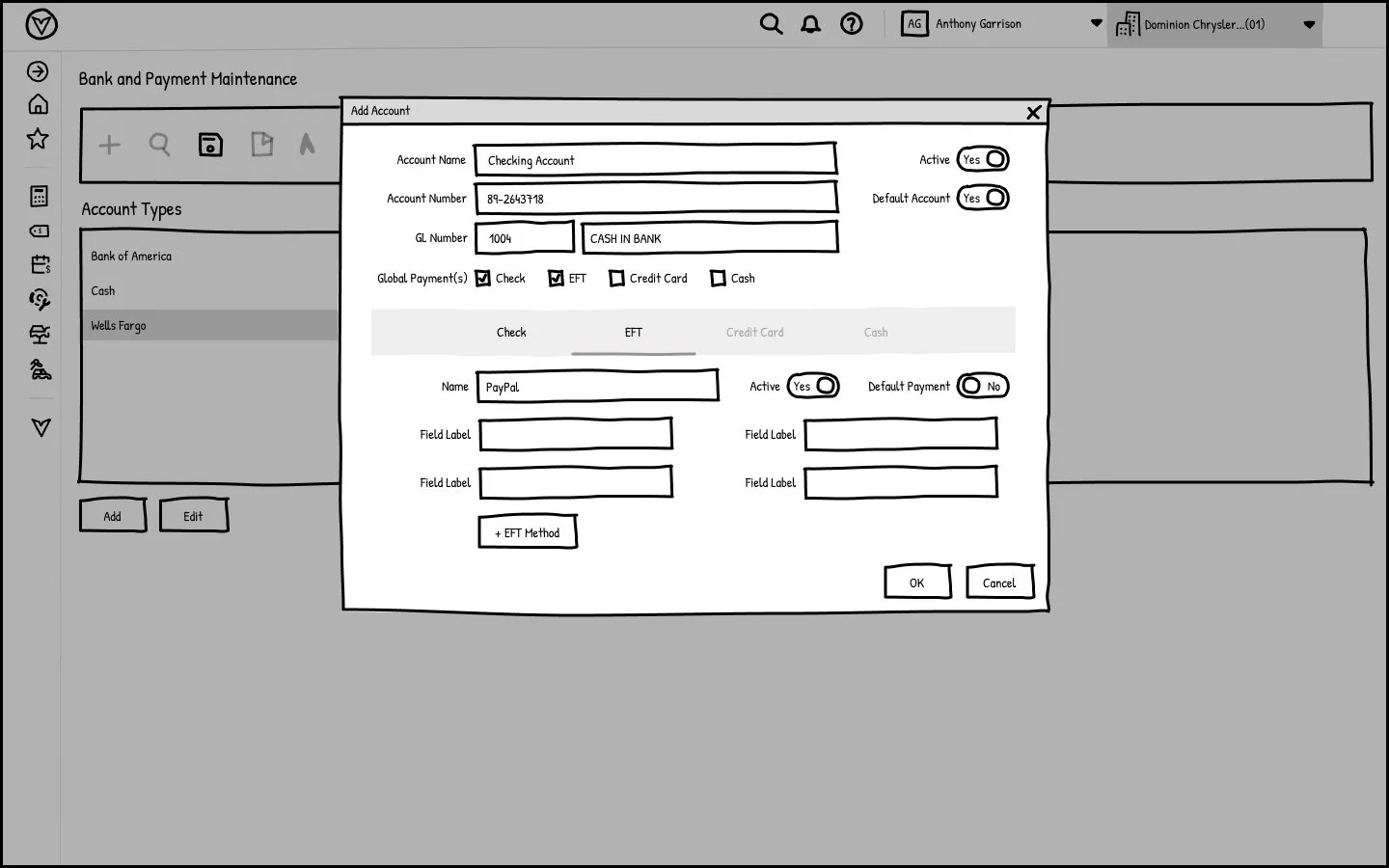
Additional payment options for electronic payments (EFT, credit cards) to leverage early payment discounts
Real-time visibility into cash flow, aging reports, and spending patterns
Automate invoice capture and routing for approvals to expedite payment cycles and reduce manual errors.
ROLE
UX Researcher, Designer
TOOLS
ChatGPT, FigJam, Figma, Visual Studio
Team Alignment
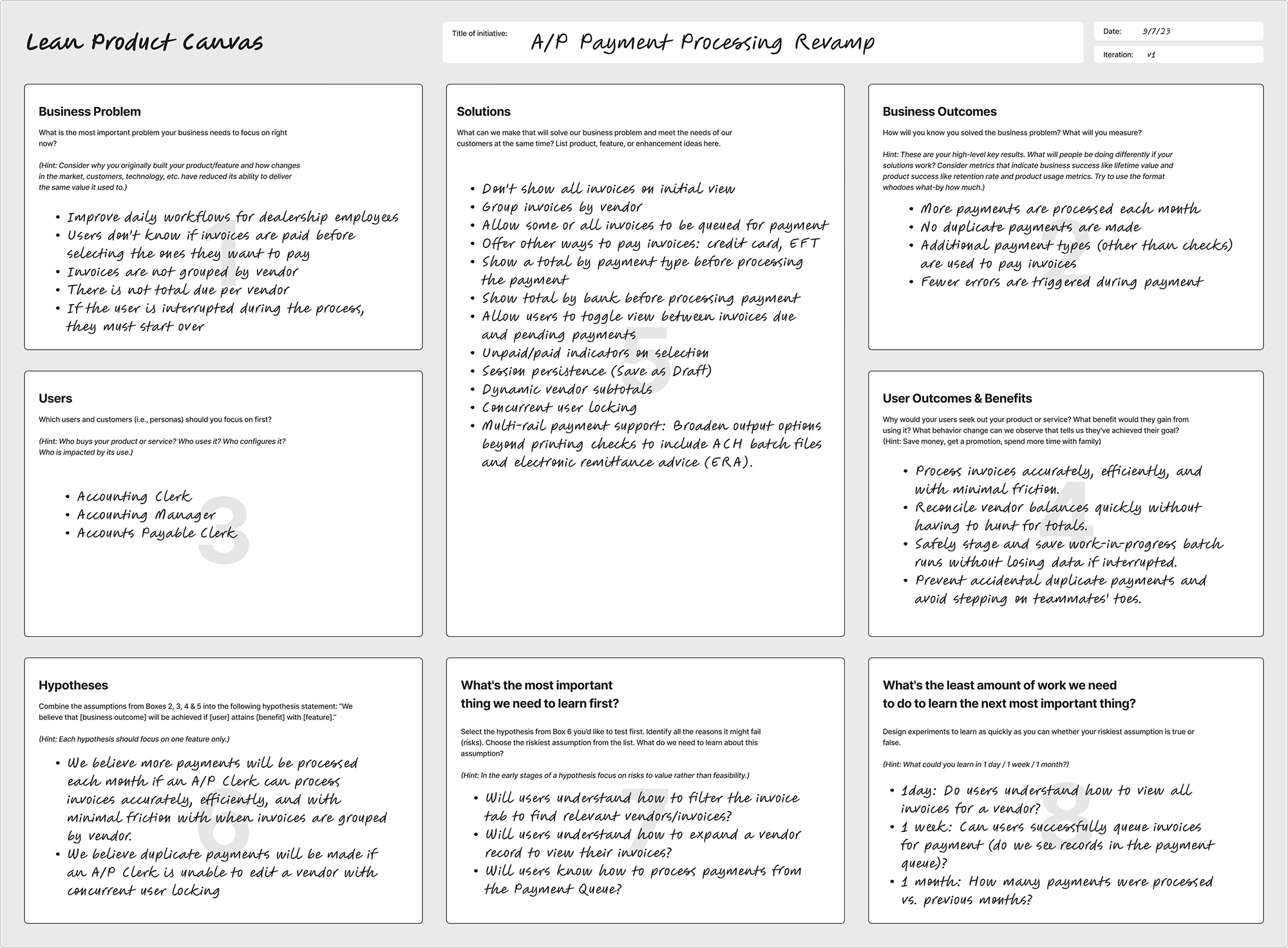
Before we began our first sprint, I led a workshop to align the cross-functional team on our shared goals for this project. As a designer, I always advocate for users and consider interface patterns. Stakeholders focus on the business viability. Using the Lean Product Canvas helped us come to a shared understanding about our goals for the project. By testing assumptions and placing user problems alongside KPIs, we could make decisions that support top-level business goals.
User Personas
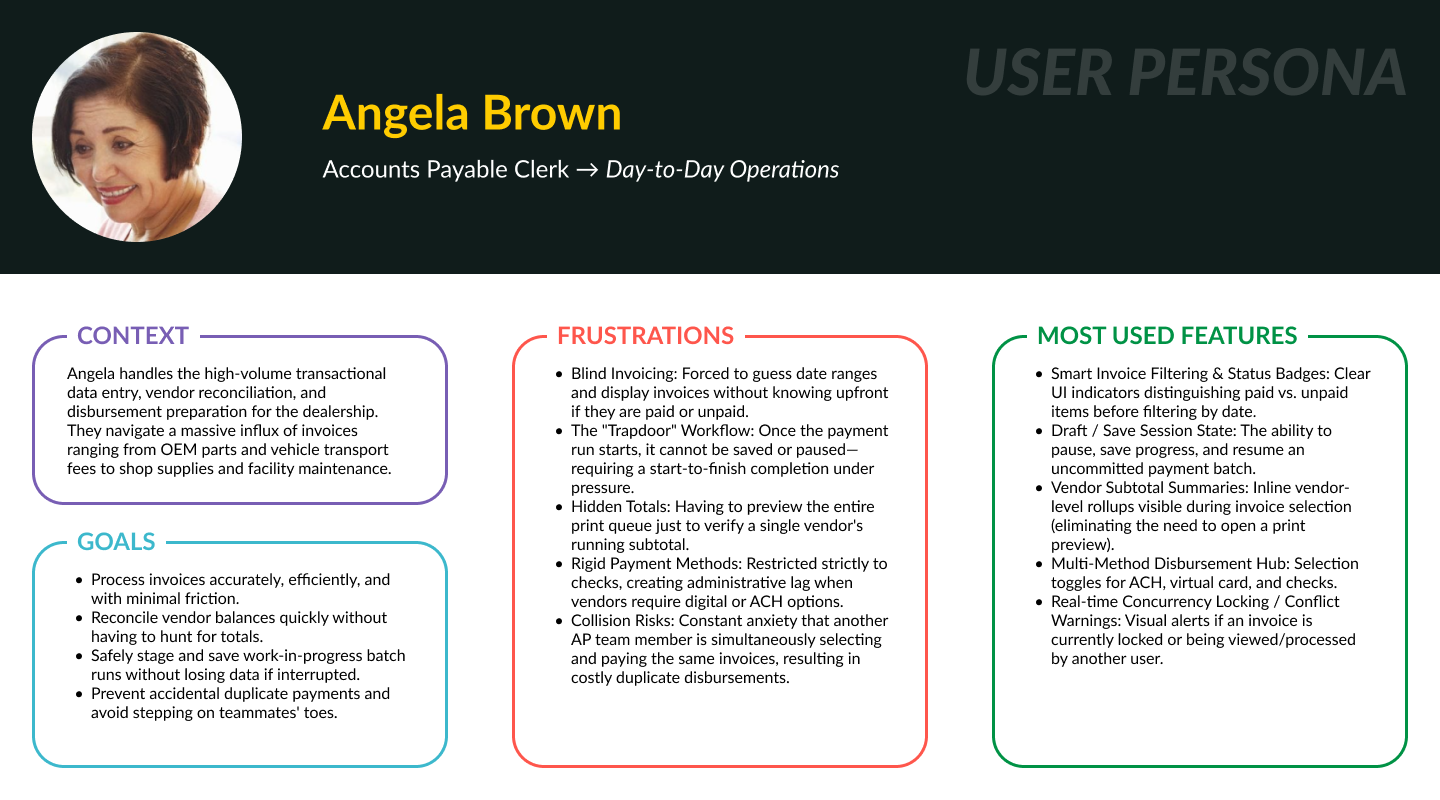
We identified two personas who will use the payment processing interface: the Accounting Manager and the Accounts Payable Clerk. As a company, we had defined personas. However, we needed more detail on these personas to determine how they interact with this existing software and how we can improve it.
I used ChatGPT to develop personas specific to this project. It provided a starting point for organizing insights into concise profiles that the team could review, validate against research, and refine. This sped up the process and helped us better understand the target users, enabling more informed design decisions.
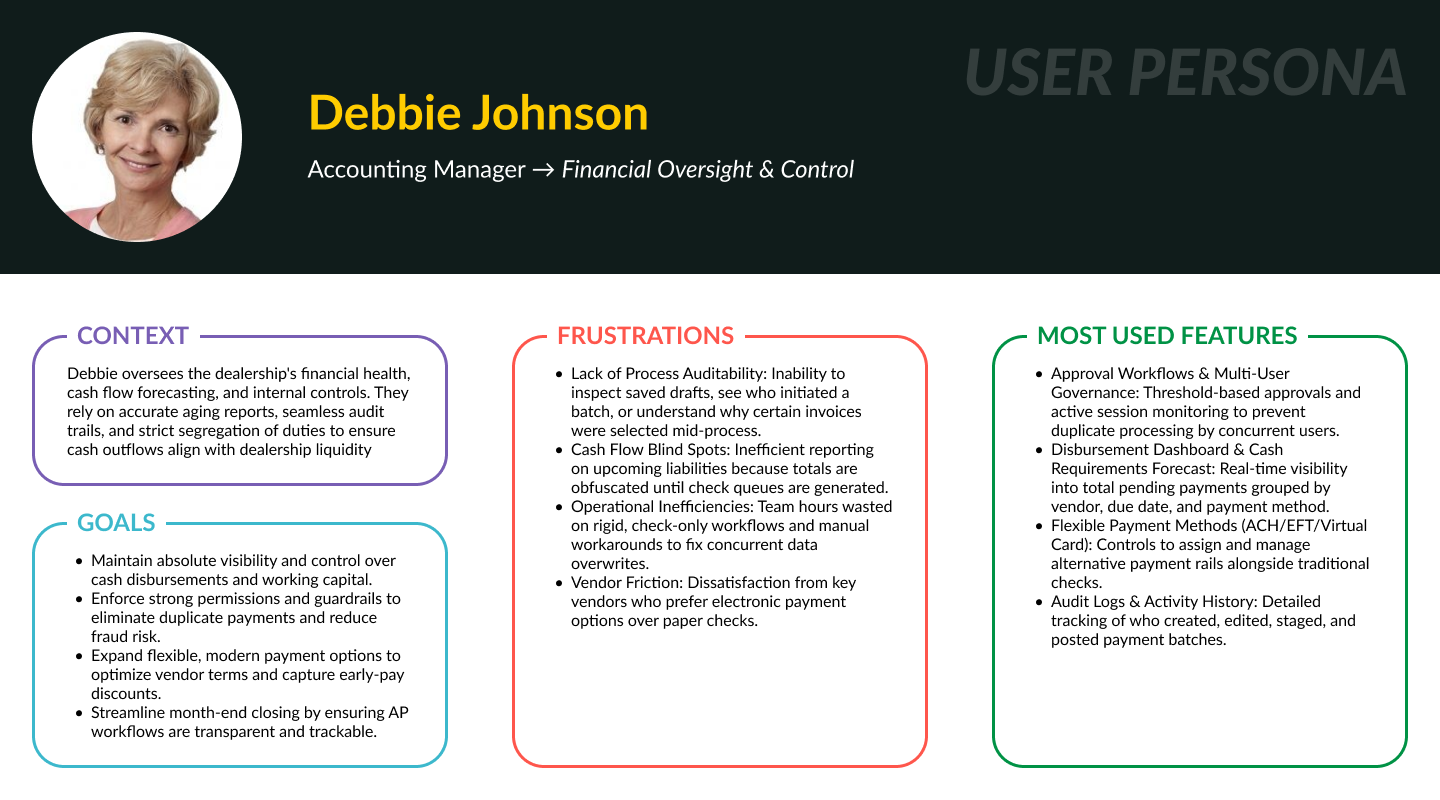
Prompt: I want to improve the user experience for the accounts payable module in a car dealership management system. Create personas for an Accounts Payable clerk and an Accounting Manager at a car dealership. What are their needs, frustrations, goals, and the features they will use most for payment processing?
(I also listed the current process and its pain points that we identified on the Lean Product Canvas.)
Journey Maps
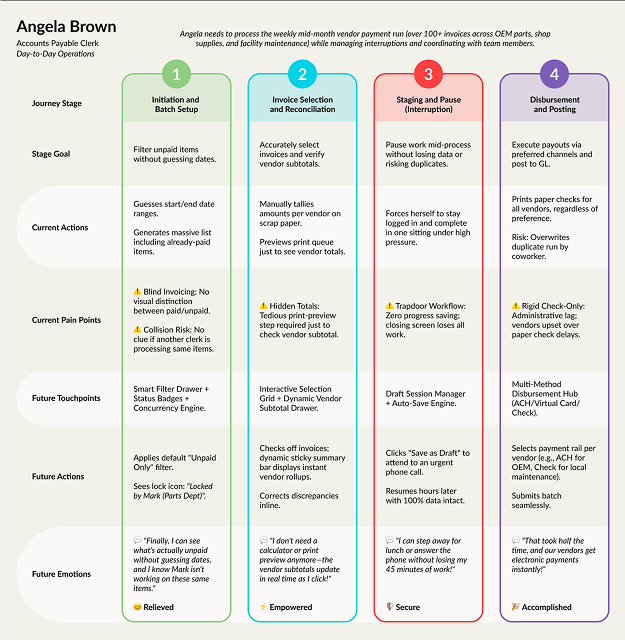
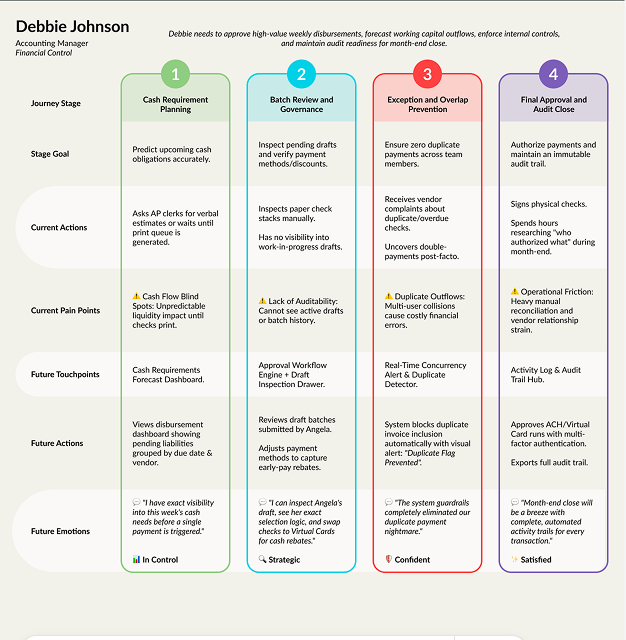
This was another stage where AI really sped up my workflow. I used ChatGPT to create journey maps for each persona, based on insights from the Lean Product Canvas and detailed personas that show the goals, frustrations, and the features they’ll find most useful. The AI output was more visually rudimentary, so I imported the details into a Figma template I had created for an earlier project.
MVP Features
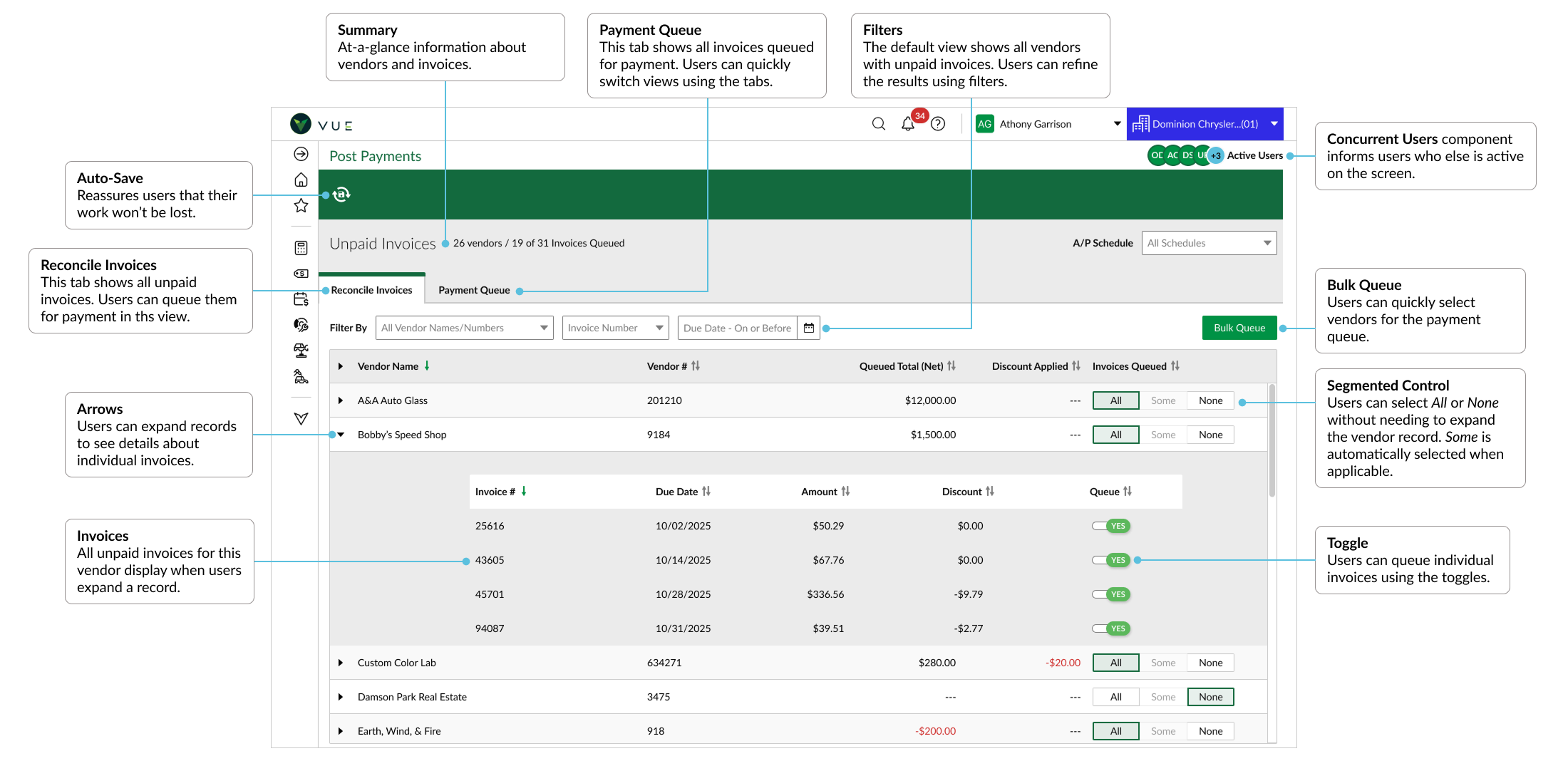
Reveal Before Filtering
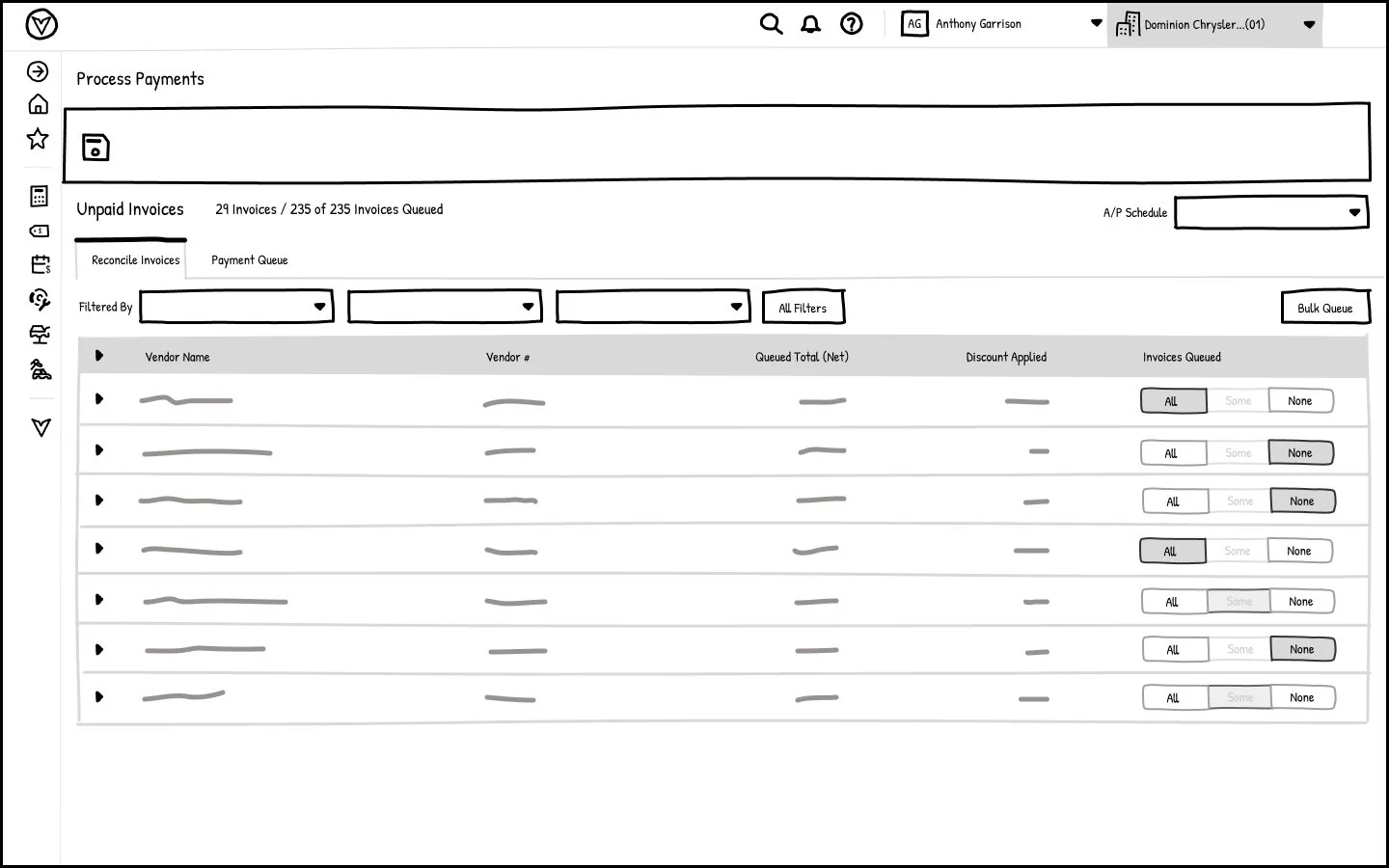
Default to actionable unpaid invoices; make queued status visible at entry.
FINDABILITY
Design for Interruption
Auto-save to preserve selections
CONTINUITY
Make Activity Social
Show who is present and what records are locked
COORDINATION
Bulk Queue
Select vendors and queue all their unpaid invoices
EFFICIENCY
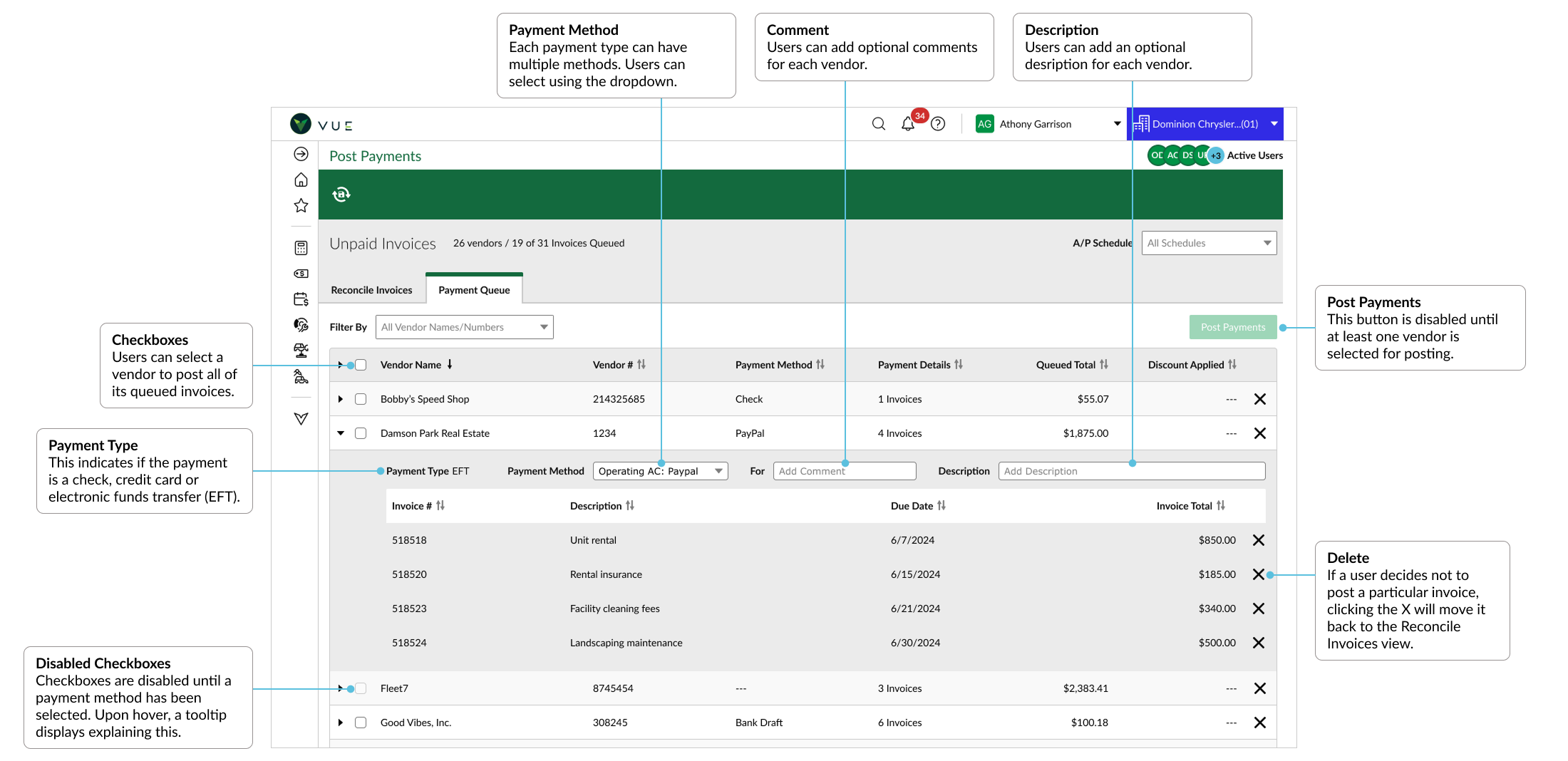
Additional Payment Options
Cash
Credit Card
EFT
FLEXIBILITY
User Flow
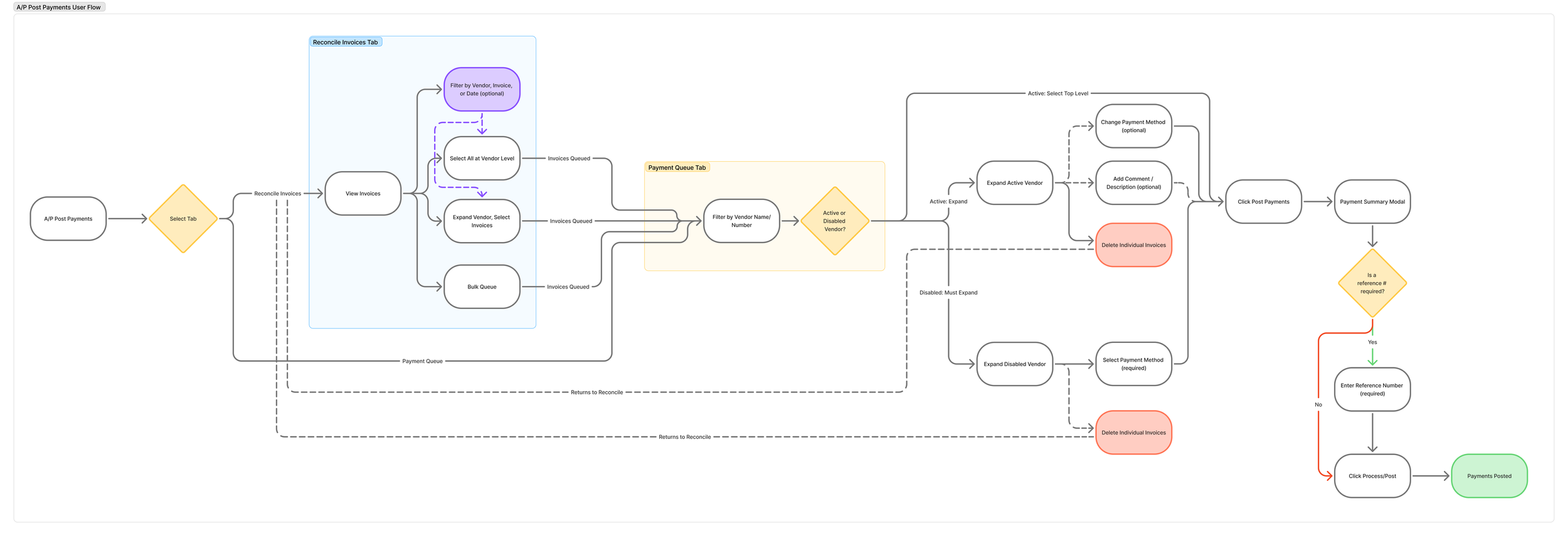
After synthesizing insights from our earlier research, I used Figma AI to generate an initial user flow that helped us visualize the proposed experience and identify the key steps users would take. This gave us a quick starting point, letting us focus on evaluating the flow rather than building it from scratch. We reviewed it as a team, refined the steps, and made adjustments to align the experience with user needs and our software’s technical constraints. The result was a clearer path through the experience, a shared understanding of how the key interactions should work, and a foundation for developing wireframes and validating the proposed solution.
Wireframes
Process
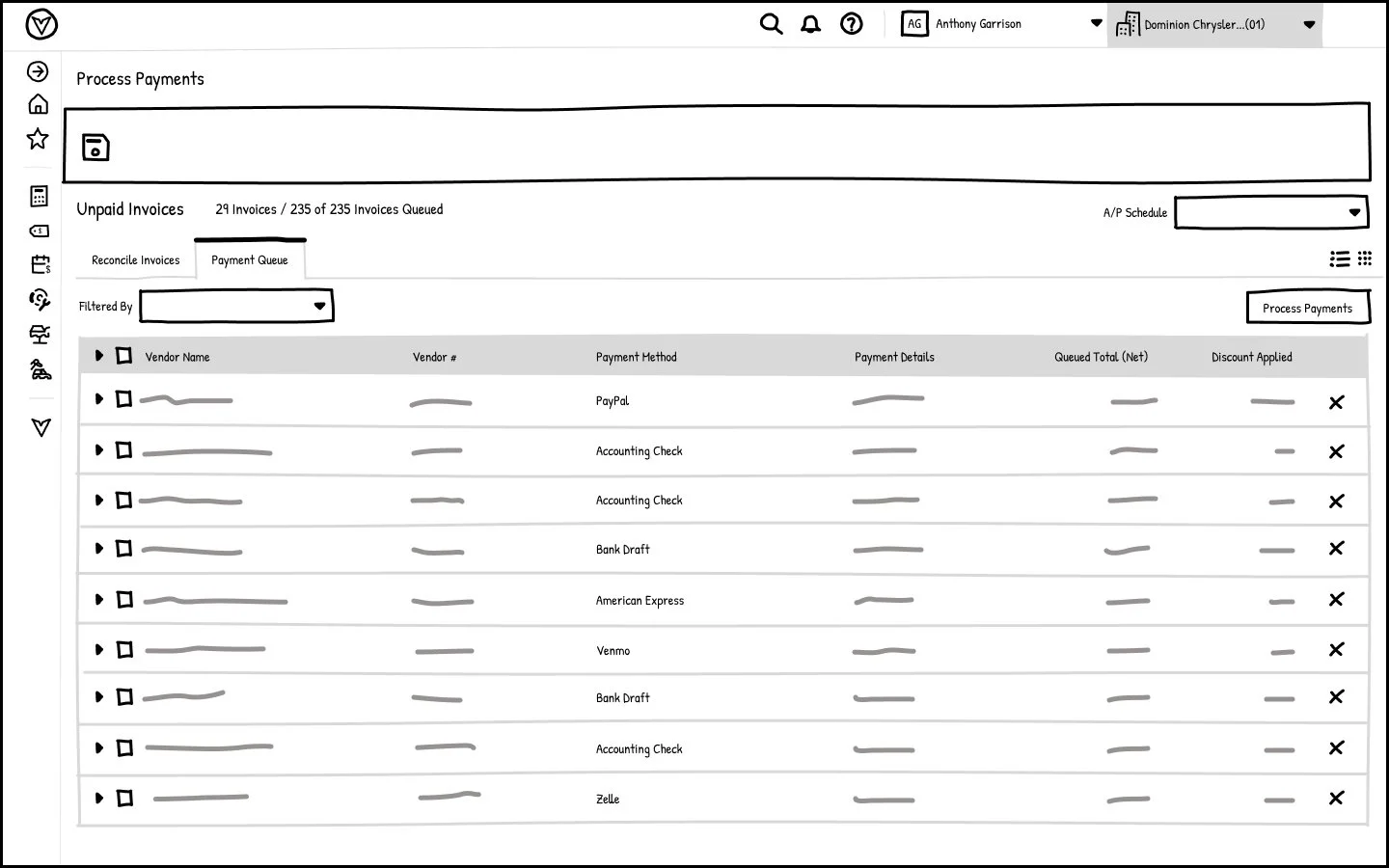
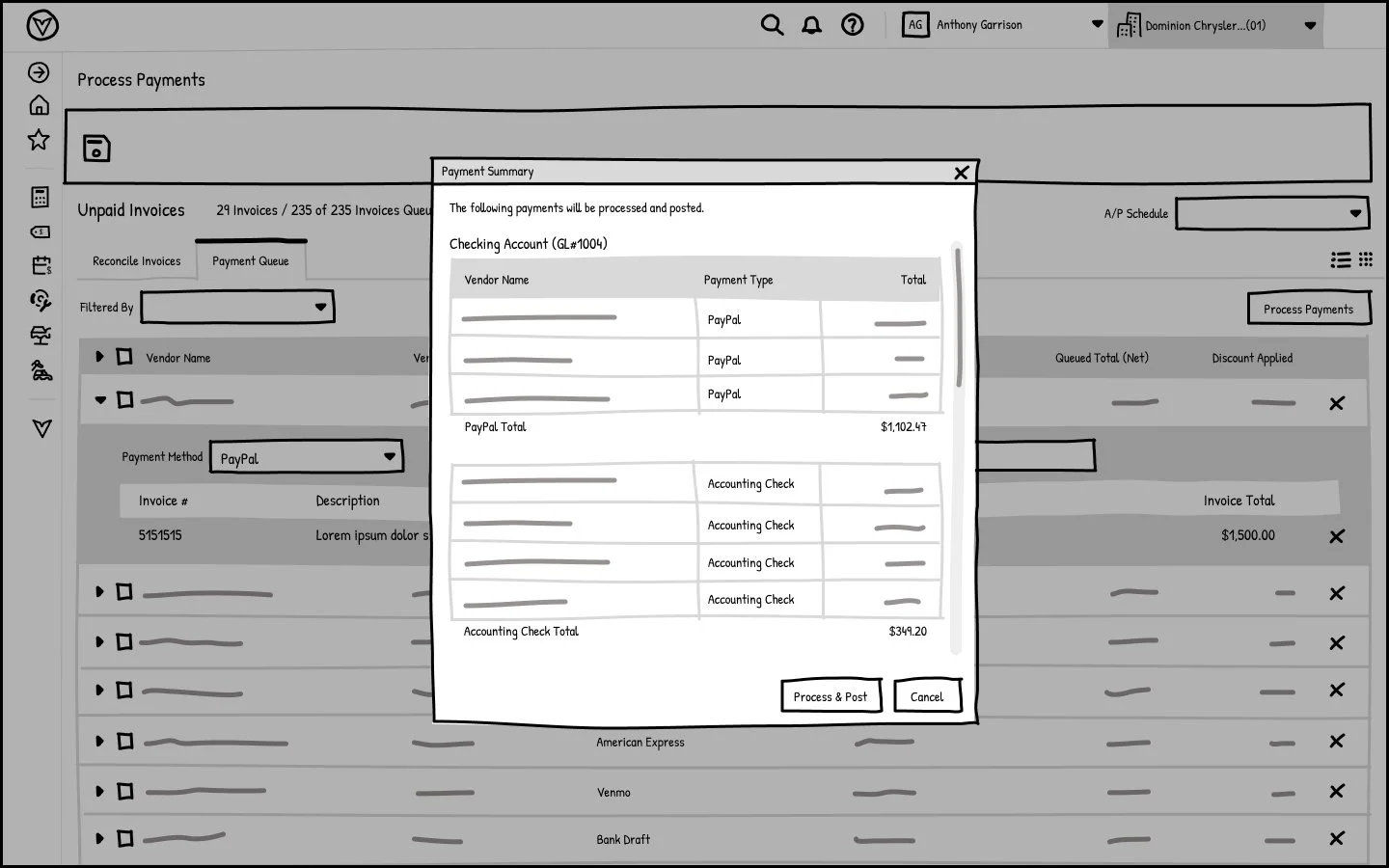
Brainstorm ideas through quick sketches, either with the team or on my own, then share wireframes with the team for feedback.
Gather team feedback and refine the wireframes until we have a solid concept.
Test the wireframes with users, gather feedback, and make improvements based on what we learn.
Re-test the updated wireframes and continue iterating until user feedback validates the core experience.
Once the wireframes are validated, move into high-fidelity designs, then test and refine the designs based on user feedback.
Prototype
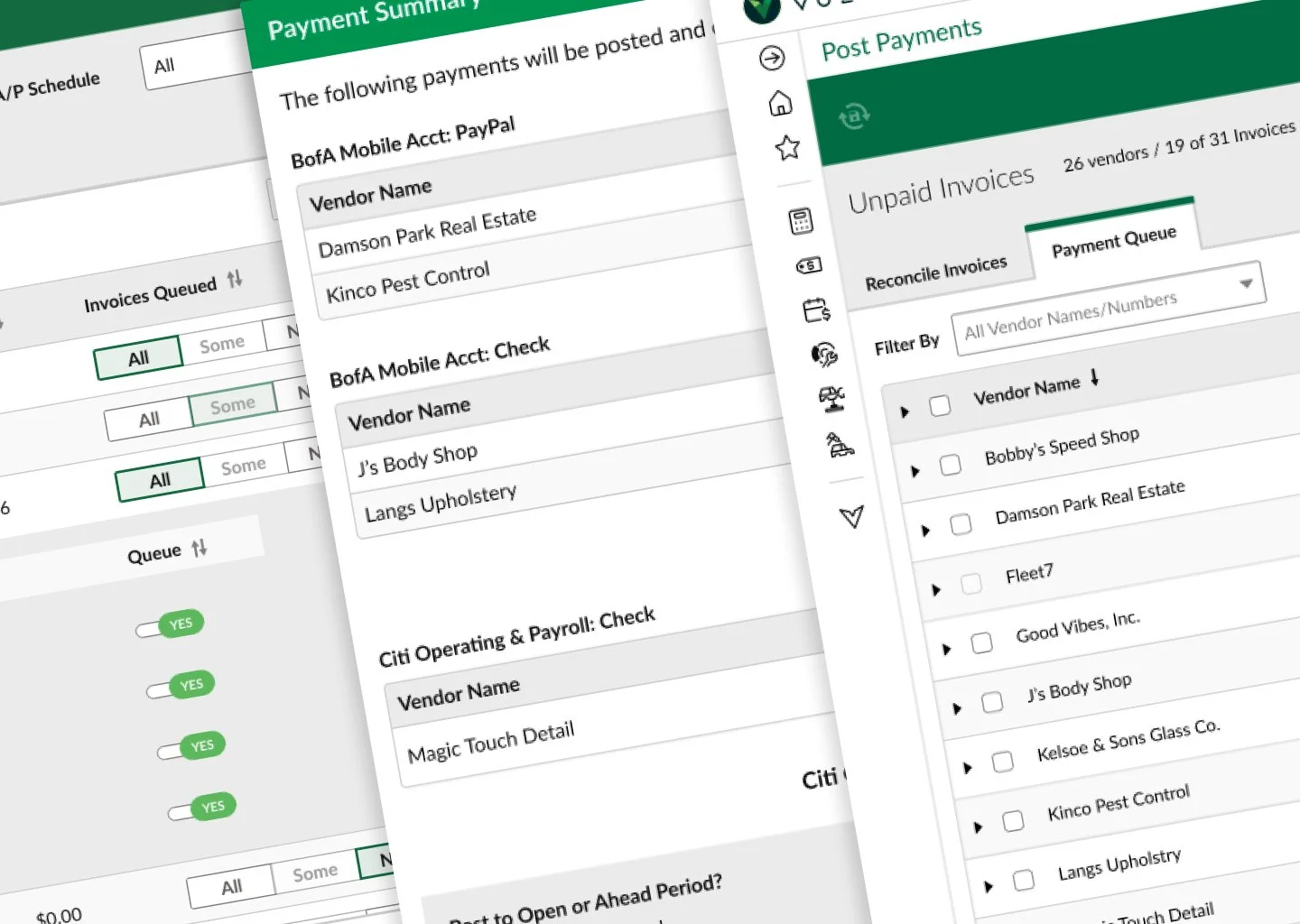
Through multiple iterations, stakeholder presentations, feedback from the development team, and usability testing, I refined the designs to meet user needs, business goals, and technical requirements. This process led to the final high-fidelity mockups, with the visual style and overall look and feel aligned with the design system and style guide.