CASE STUDY
Payment Processing
PROJECT BRIEF
Improve the Accounts Payable payment process to provide users the ability to save their progress when reconciling a payment to a vendor against the vendor’s bill.
CLIENT NEEDS
Process vendor payments in a timely, efficient manner
Additional payment options for electronic payments (EFT, credit cards) to leverage early payment discounts
Real-time visibility into cash flow, aging reports, and spending patterns
Automate invoice capture and routing for approvals to expedite payment cycles and reduce manual errors.
USER NEEDS
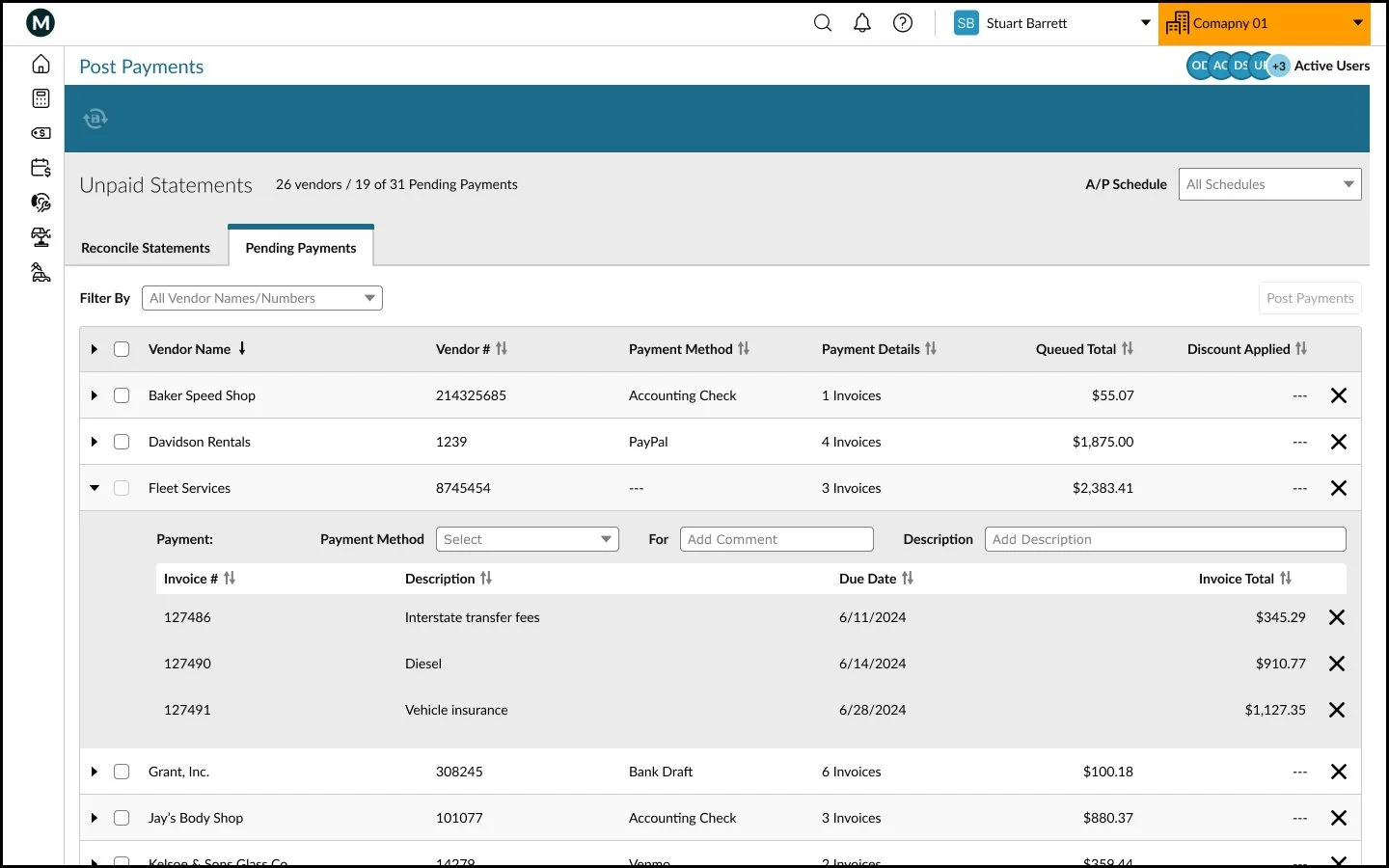
Reconcile invoices before selecting which ones to pay
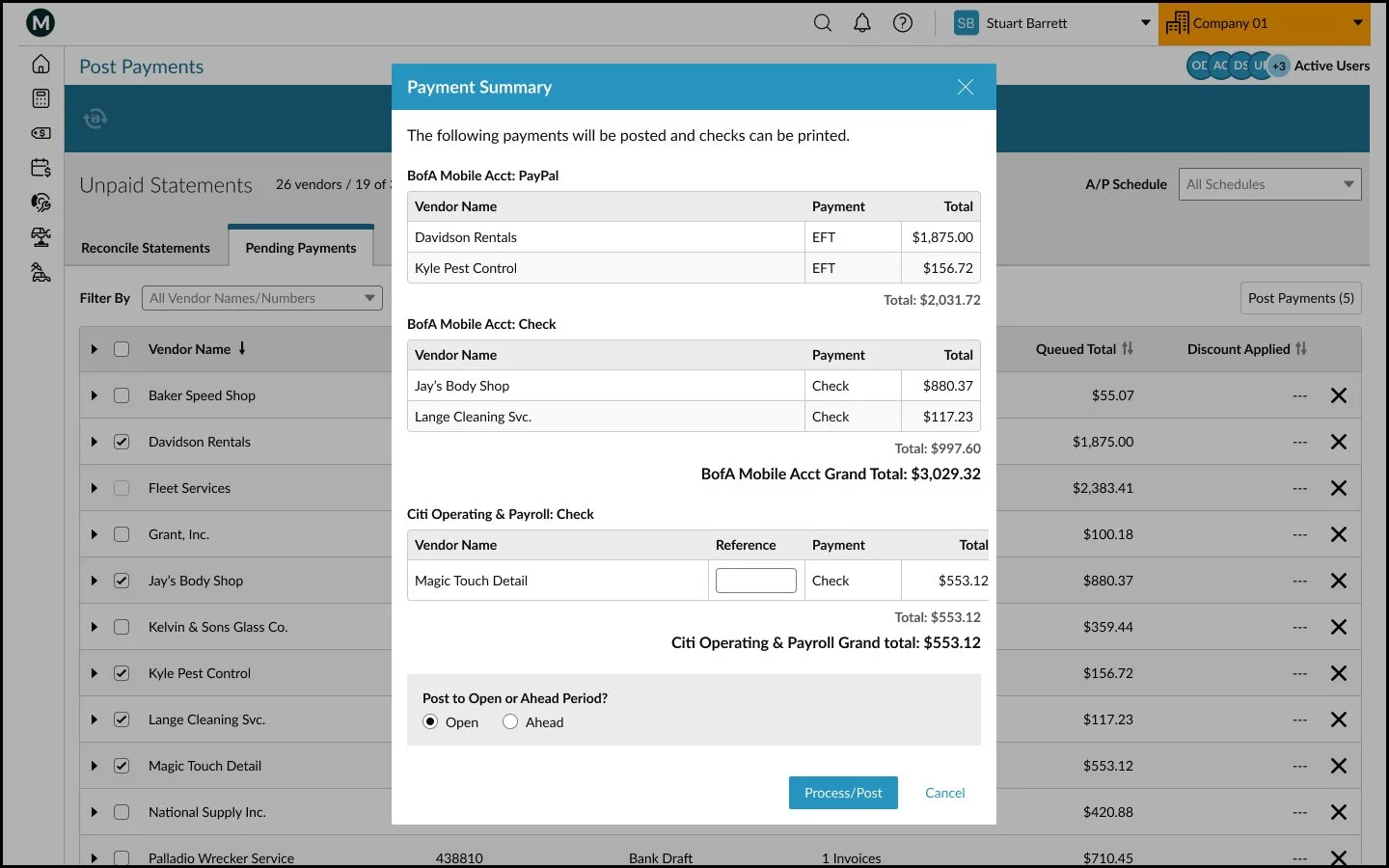
Queue payments to be paid at a later time
Pay individual vendor invoices
PHASE 1: Discovery
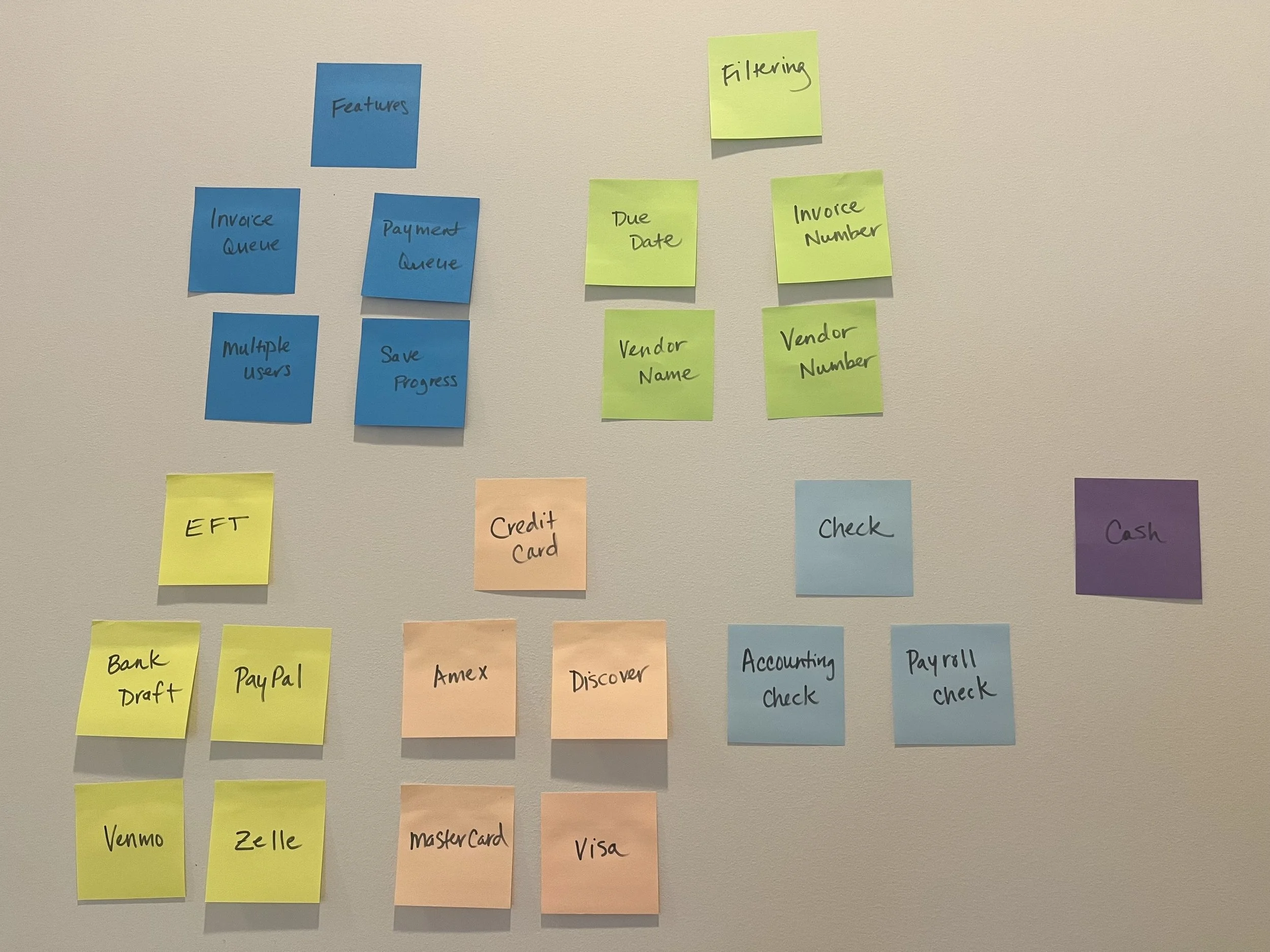
We analyzed the current workflow, conducted market research, and collaborated with clients to identify their pain points:
The user must define an end date and decide which invoices to display without knowing if they are paid/unpaid.
Once the user has begun the process, it must be completed. There is no way to save progress.
The only way to view the total per vendor is to preview the print queue.
All invoices must be paid using a check. No additional payment options are available.
Duplication of payments by multiple users in the system simultaneosly.
PHASE 2: Definition
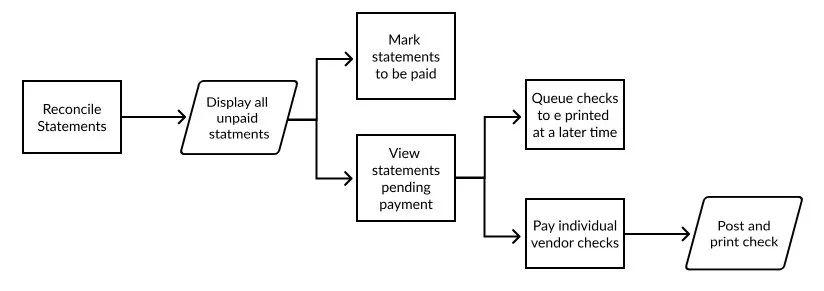
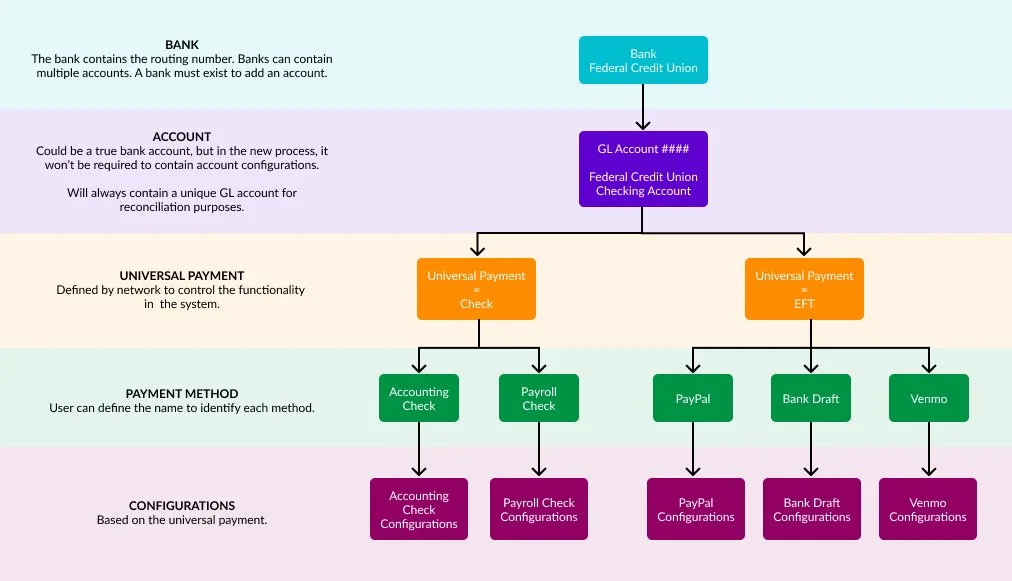
We focused on a practical strategy to set a clear direction for the design process.
Developed detailed, empathy-driven profiles representing the target users to create personas:
A/P Clerk, Accounting Manager
Formulated actionable problem statements to articulate the core problem and guide the solution:
Users need a way to flexibly manage, reconcile, and save progress on vendor payments, as the current rigid, check-only workflow lacks visibility into invoice status and prevents collaborative processing, leading to manual errors and duplicate payments.
Mapped the user journey by diagramming the required steps, highlighting obstacles, and featuring opportunities for improvement.
Translated user needs into specific functional requirements for the software that were viable within the project scope.
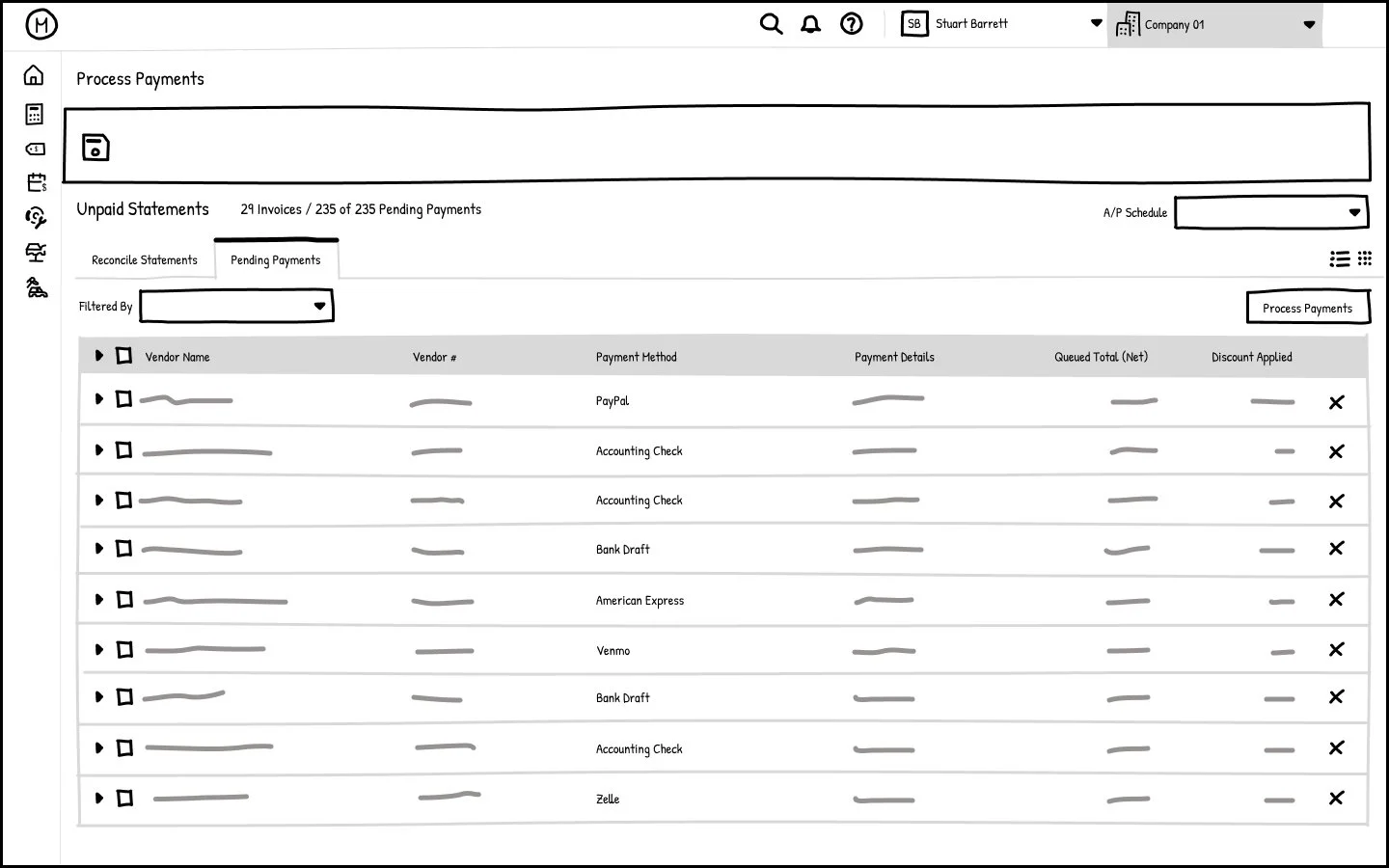
Filter invoices by vendor name/number, invoice number, due date
Reconcile individual vendor invoices
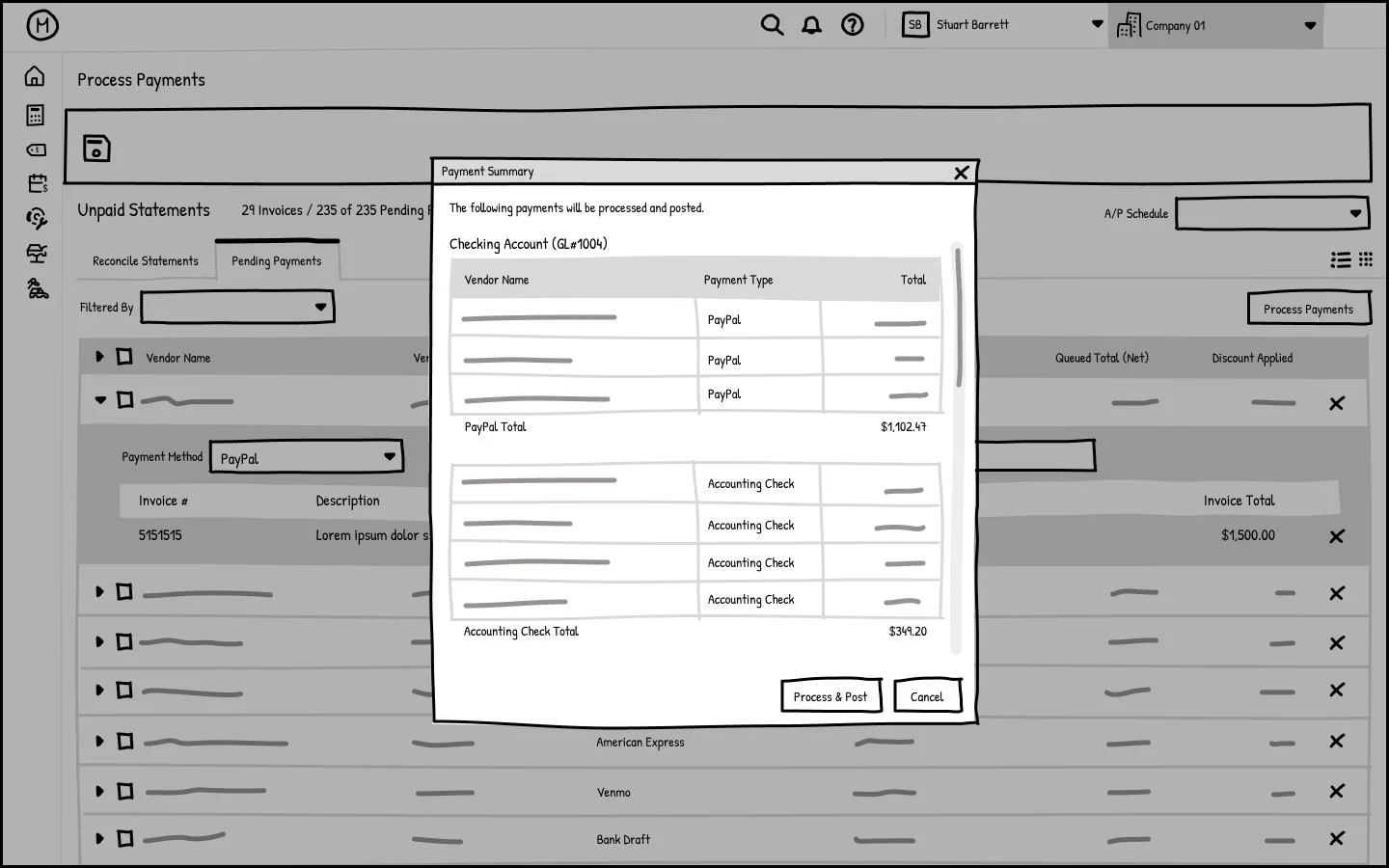
Queue invoices for payment at a later time
Freeze activity on a vendor when multiple users are active on the screen
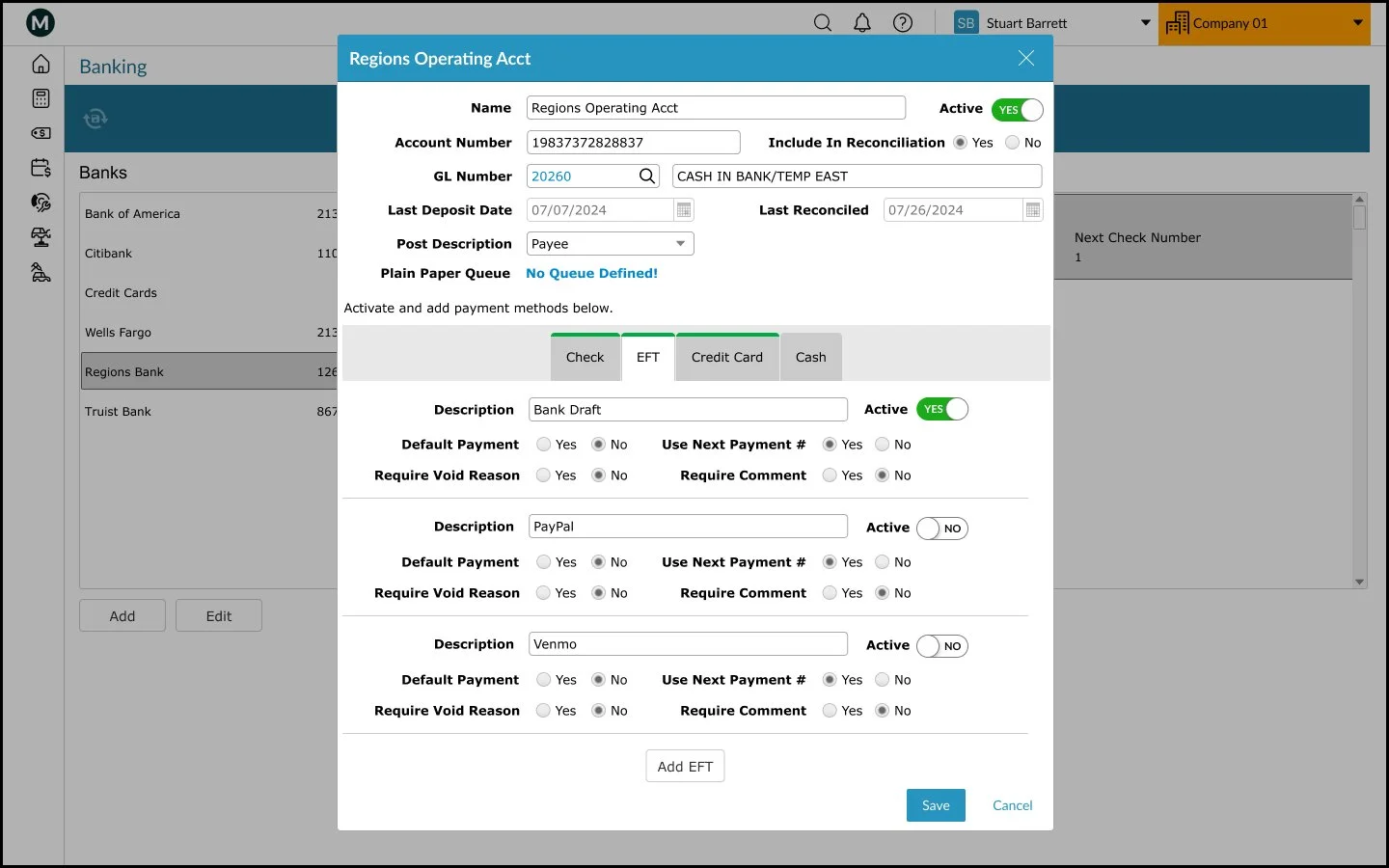
Add payment options: cash, credit card, EFT
Wireframes
To translate functional requirements into a tangible interface, I first designed a series of low-fidelity wireframes. These sketches focused on establishing a logical hierarchy and spatial organization. By mapping out the main steps of the process in this static format, I ensured the structural integrity of the solution before moving into interactive prototyping.
PHASE 3: Ideation & Design
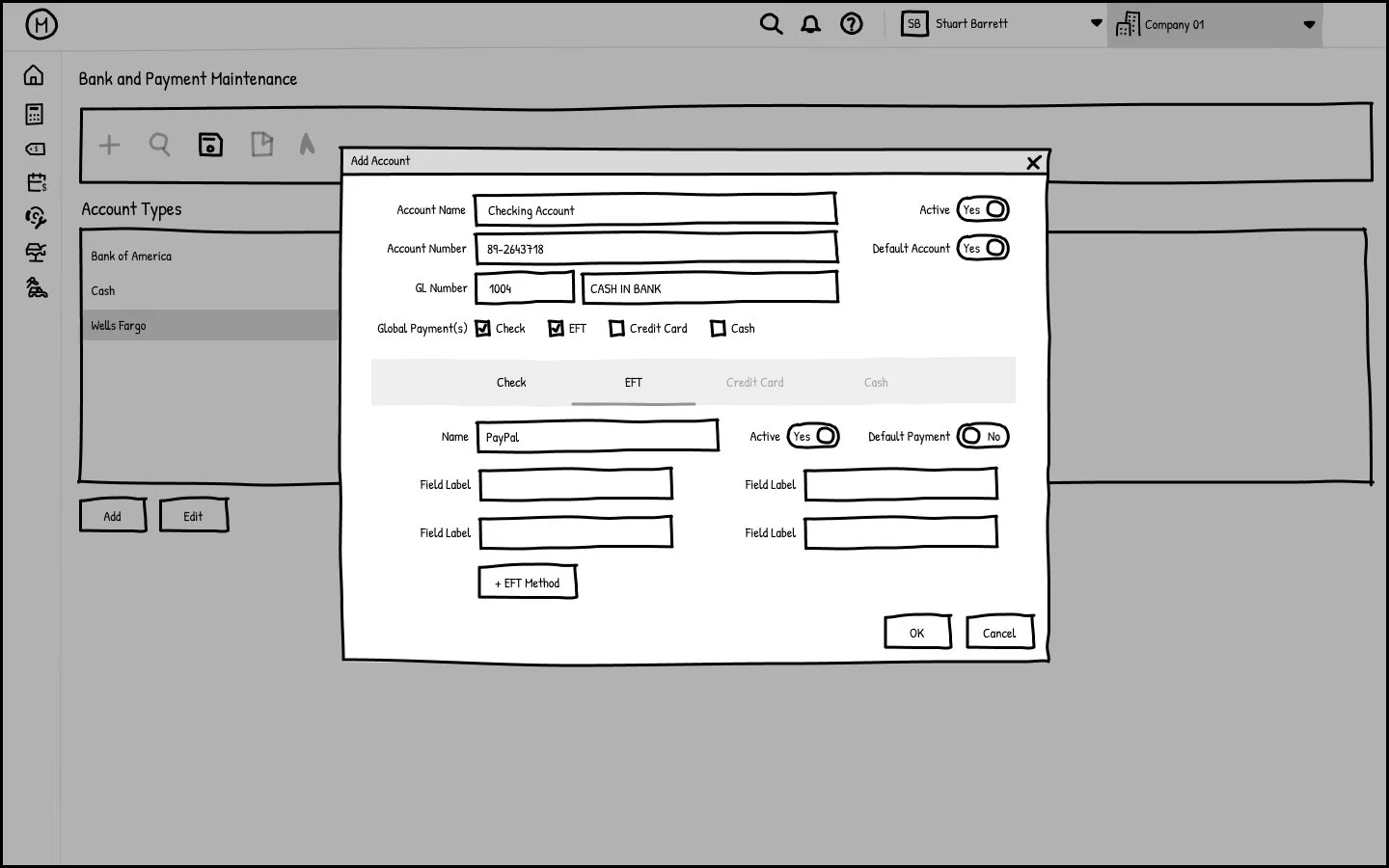
Prototype
Once the Agile team aligned on the structural layout, I developed an interactive prototype to simulate the final user experience. By incorporating functional transitions and precise interactions, I created a high-fidelity model that clearly demonstrated the software’s behavior. This served as a critical reference for both developers and QA teams, ensuring technical implementation remained faithful to the intended design.