CASE STUDY
Mobile App
INTRODUCTION
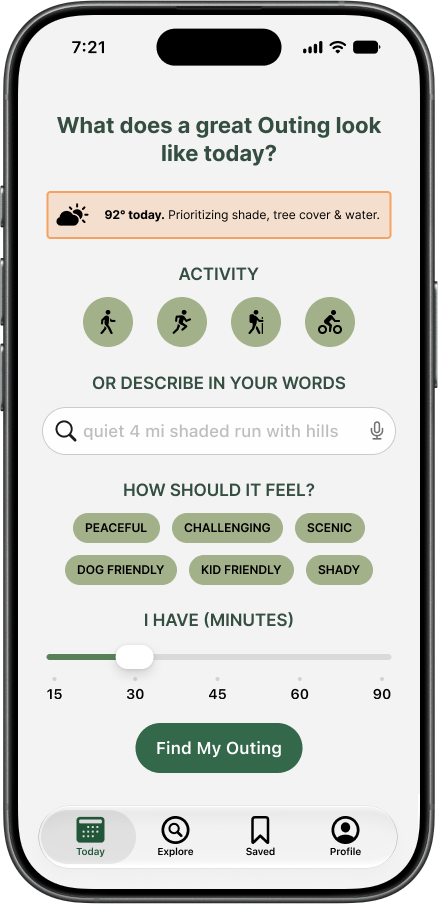
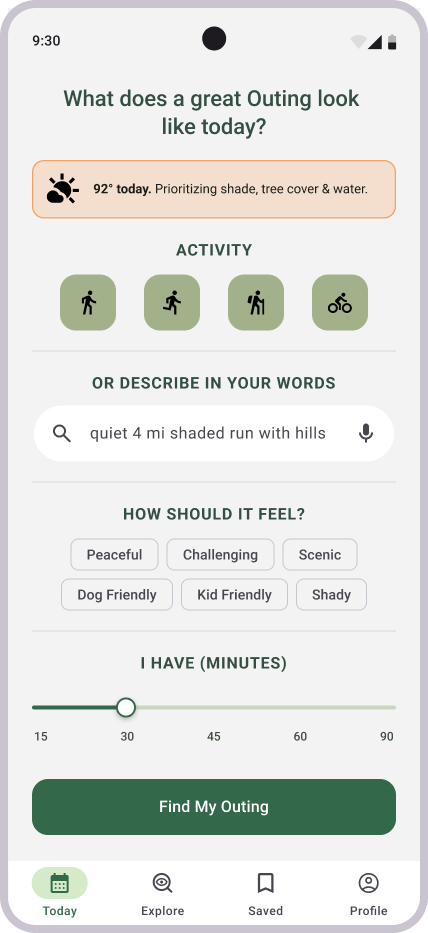
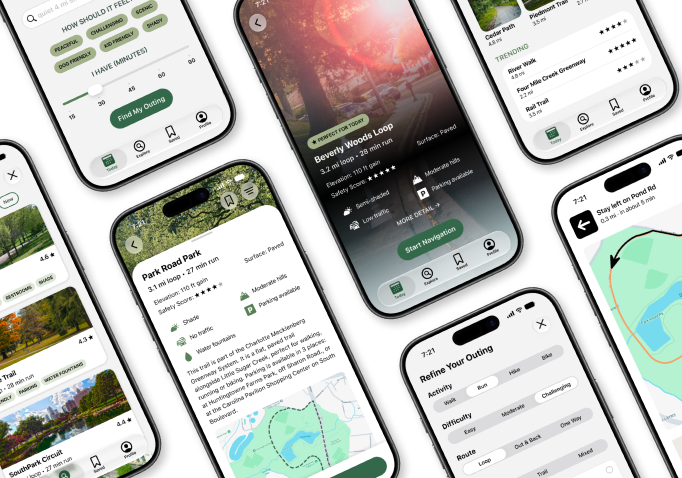
The Outings mobile app allows users to create their own exercise route for walking, hiking, running, or cycling based on the distance they want to go or the time they have to exercise, where they want to start, amount of sun/shade, amount of traffic, path surface, elevation, amenities along the route, parking availability, and whether it’s dog-friendly or kid-friendly.
GOAL
Optimize route-planning for comfort, environment, or personal preferences rather than just distance, speed, and popularity.
Allow users to plan a route without creating an account.
ROLE
UX Researcher & Designer
TOOLS
ChatGPT, FigJam, Figma, Figma Make
DISCOVERY
BRAINSTORMING SESSION
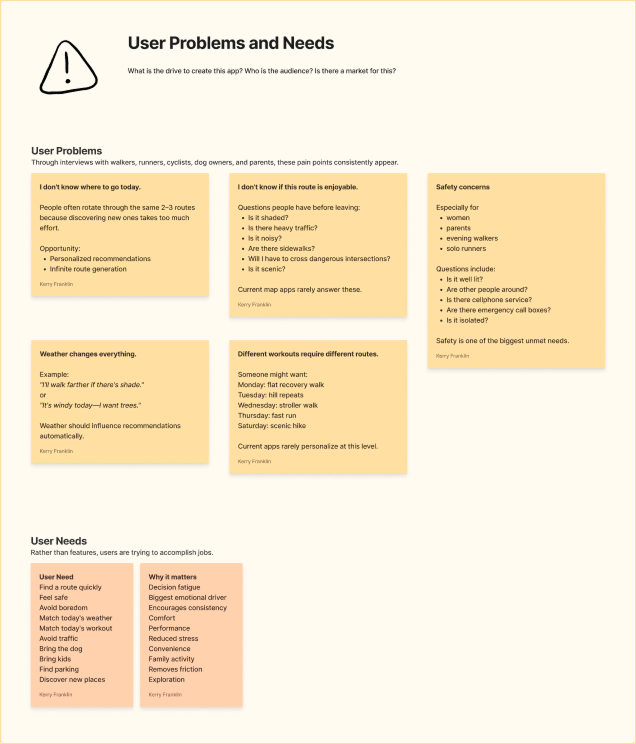
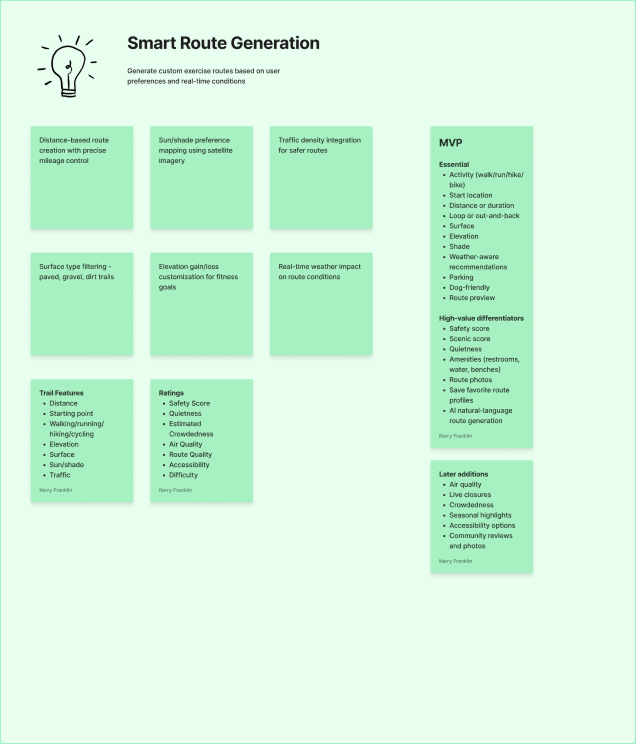
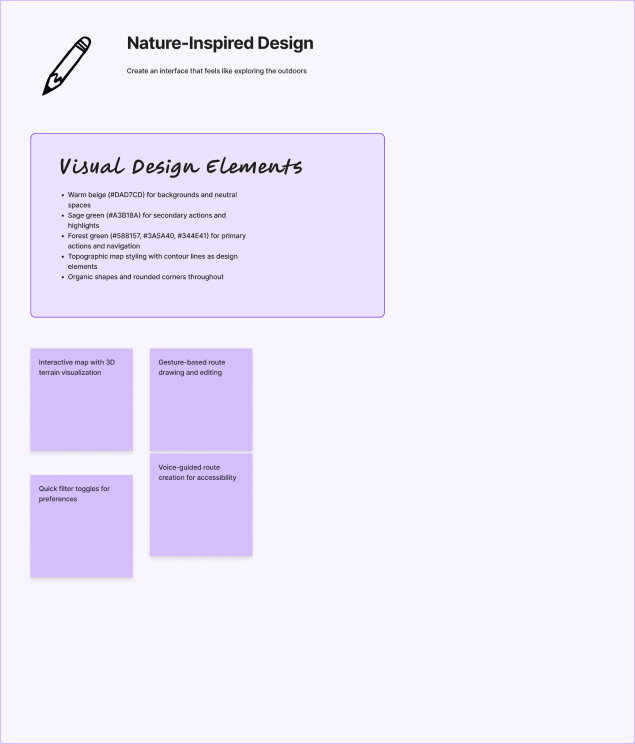
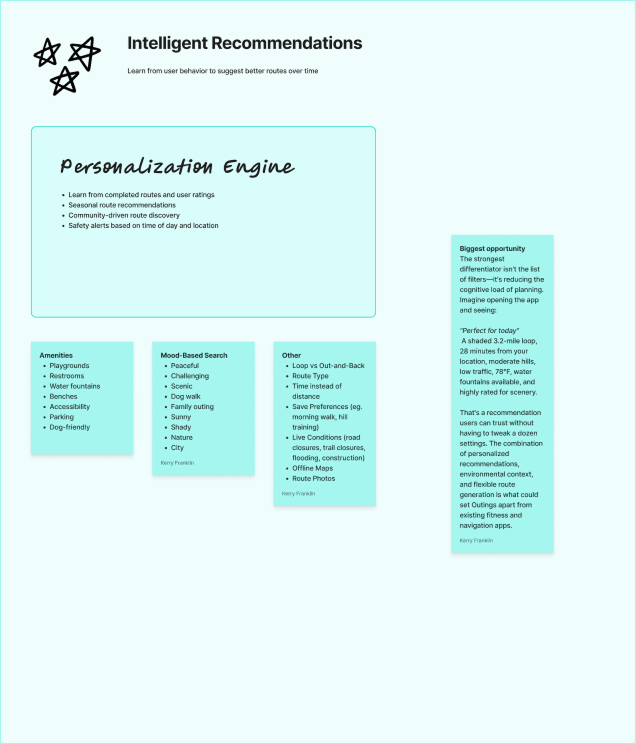
I started by capturing some initial ideas on a whiteboard, organized into a few key themes to drive the discovery process:
User Problems and Needs
Core Features
Interface Design
Smart Features & Personalization
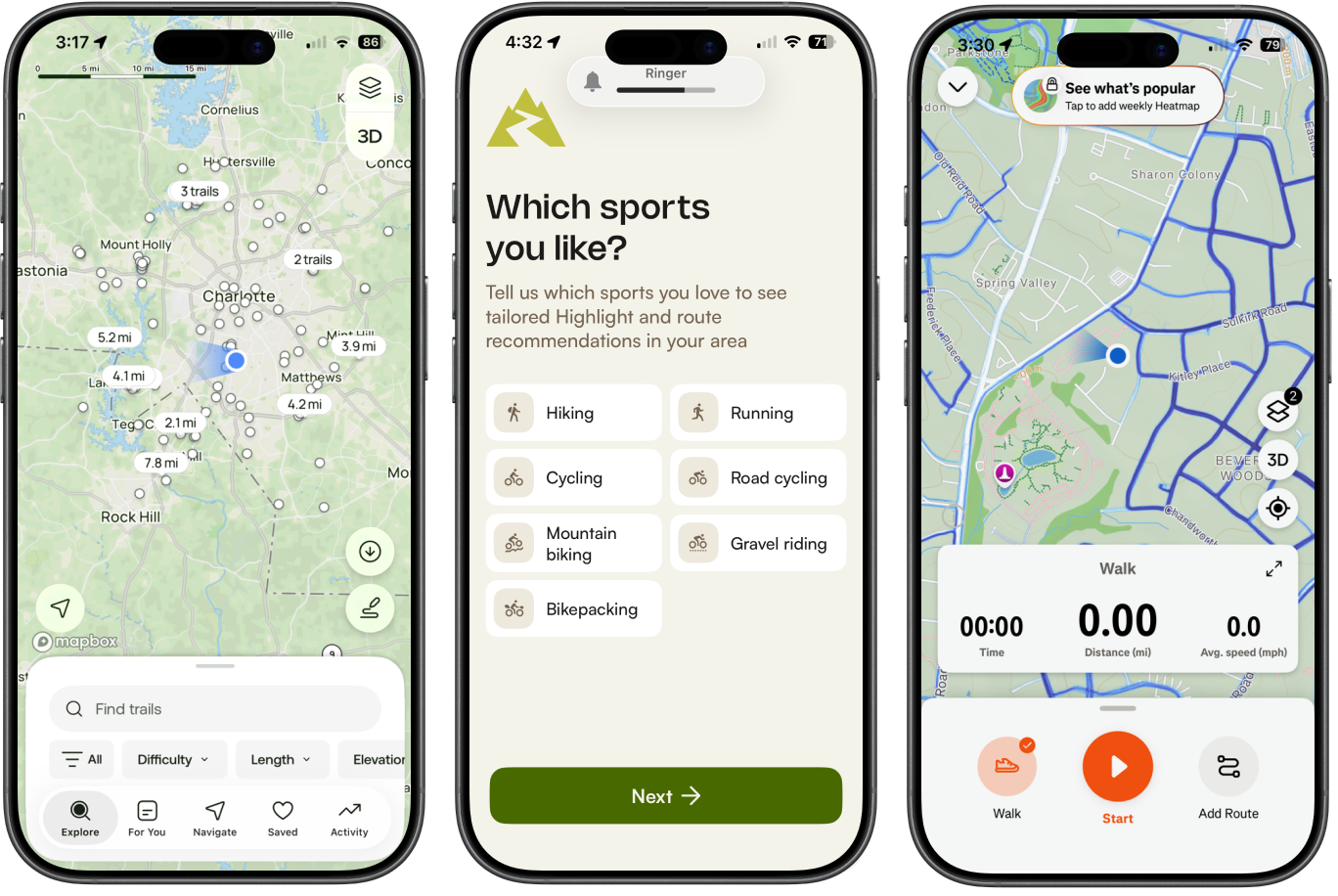
COMPETITORS
App
All Trails
Google Maps
Komoot
MapMyRun
Strava
Strength
Hiking discovery
Navigation
Excellent cycling/hiking routing
Running Routes
Route creation for runners/cyclists
Weakness
Limited for neighborhood walks and runs
Doesn't optimize routes for exercise preferences
Complex for casual users
Limited environmental filtering
Focuses on performance rather than comfort
Differentiation
Instead of asking the user "Where are you going?", ask "How do you want today's workout to feel?"
Core user problems:
I don't know where to go today.
I don't know if this route is enjoyable.
Weather changes everything.
Safety concerns
Different workouts require different routes.
User needs:
Find a route quickly
Feel safe
Avoid boredom
Match today's weather
Match today's workout
Avoid traffic
Bring the dog
Bring kids
Find parking
Discover new places
MVP features/filters:
Essential Activity (walk/run/hike/bike)
Start location
Distance or duration
Loop, out-and-back, one way
Surface
Elevation
Shade
Weather-aware recommendations
Parking
Dog/kid friendly
Route preview
High-value differentiators:
Safety score
Scenic score
Quietness
Amenities (restrooms, water, benches)
Route photos
Save favorite route profiles
AI natural-language route generation
PERSONAS
Routine Runner (Primary Persona)
Name:
Age:
Occupation:
Activity:
Experience:
Frequency:
Goals
Find a route in under a minute
Train for different running workouts
Discover new places nearby
Avoid heavy traffic
Feel safe running alone


Dog Walker
Name:
Age:
Occupation:
Activity:
Experience:
Frequency:
Goals
Keep the dog happy
Find shaded routes
Discover parks
Locate water stations
Park easily
Frustrations
Dog-friendly information is scattered
Parking can be difficult
Some trails prohibit dogs
Hot pavement in summer
Name:
Age:
Occupation:
Activity:
Experience:
Frequency:
Frustrations
AllTrails has too many options
Reviews are inconsistent
Popular trails are overcrowded
Hard to judge scenery before arriving
Name:
Age:
Occupation:
Activity:
Experience:
Frequency:
Goals
Exercise with the kids
Feel safe
Avoid difficult terrain
Find bathrooms
Have fun together
Emily Carter
34
Marketing Manager
Running
Intermediate
4–5 times/week
Jason Nguyen
41
Remote Software Engineer
Walking
Casual
Daily
Sarah Brooks
29
Graphic Designer
Hiking
Moderate
Weekends
Busy Parent
Melissa Rodriguez
38
Elementary School Teacher
Walking
Beginner
2–3 times/week
Frustrations
Most fitness apps assume she's exercising alone
Playground information is difficult to find
Parking is unpredictable
Long routes become stressful
Bio
Emily enjoys running before work, but she's tired of repeating the same neighborhood loop. She wants routes that match her training goals while feeling safe and interesting.
Needs
Safety
Variety
Quiet streets
Distance accuracy
Weather-aware recommendations
Needs
Kid-friendly
Parking
Bathrooms
Benches
Short routes
MVP Features Used Most
Distance
Quietness
Safety score
Scenic score
Weather recommendations
Save workout profiles
Bio
Jason walks his energetic Labrador every morning. His biggest challenge is finding shaded, dog-friendly routes with water access and avoiding crowded sidewalks.
Needs
Shade
Dog-friendly
Parking
Water
Quiet
Needs
Scenic routes
Photos
Quiet trails
New discoveries
MVP Features Used Most
Dog mode
Water stops
Shade percentage
Dog parks
Surface type
Bio
Sarah loves spending Saturdays outdoors but hates spending an hour researching where to hike. She wants hidden gems instead of crowded tourist trails.
MVP Features Used Most
Scenic Score
Route photos
Hidden gems
Explore Nearby
AI recommendations
Bio
Melissa wants to exercise while spending time with her two children. She needs routes that are safe, stroller-friendly, and have nearby restrooms and playgrounds.
MVP Features Used Most
Family Mode
Kid-friendly filter
Amenities
Safety Score
Stroller-friendly surfaces
Weekend Explorer
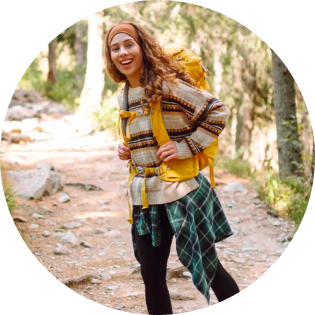
Goals
Discover beautiful places
Avoid overcrowded trails
Take photos
Explore somewhere new
Enjoy the journey
Frustrations
Runs the same streets every week
Doesn't know which new routes are worth trying
Google Maps doesn't know what's enjoyable
Strava requires too much searching
JOURNEY MAPS
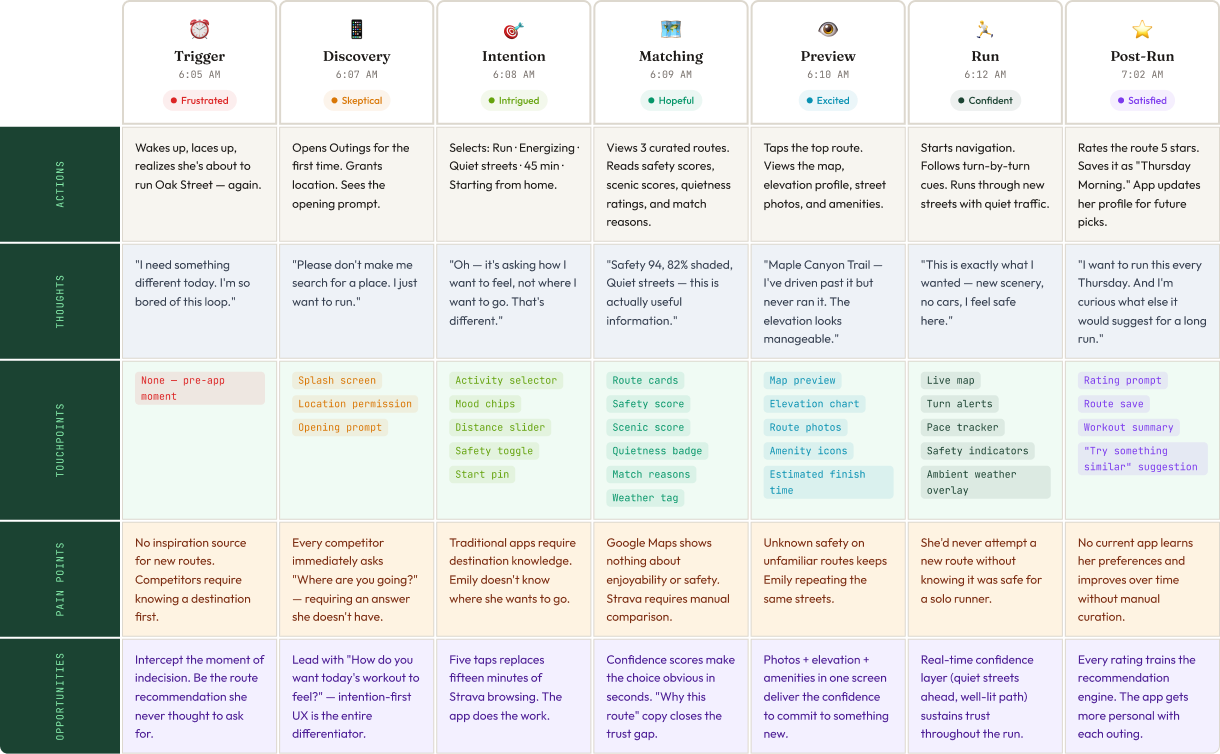
With the assistance of Figma Make, I created journey maps for each persona. The stages varied by user based on their needs and desires. Each map explores the persona’s actions, thoughts, touchpoints, pain points, opportunities, high-value features, and unique takeaways.
The journey maps helped build user empathy, prioritize features, and establish high-level stages of the process (discovery → onboarding → execution → offboarding) before beginning the design process.
Designed in Figma. Get started for free to create an account.
DESIGN
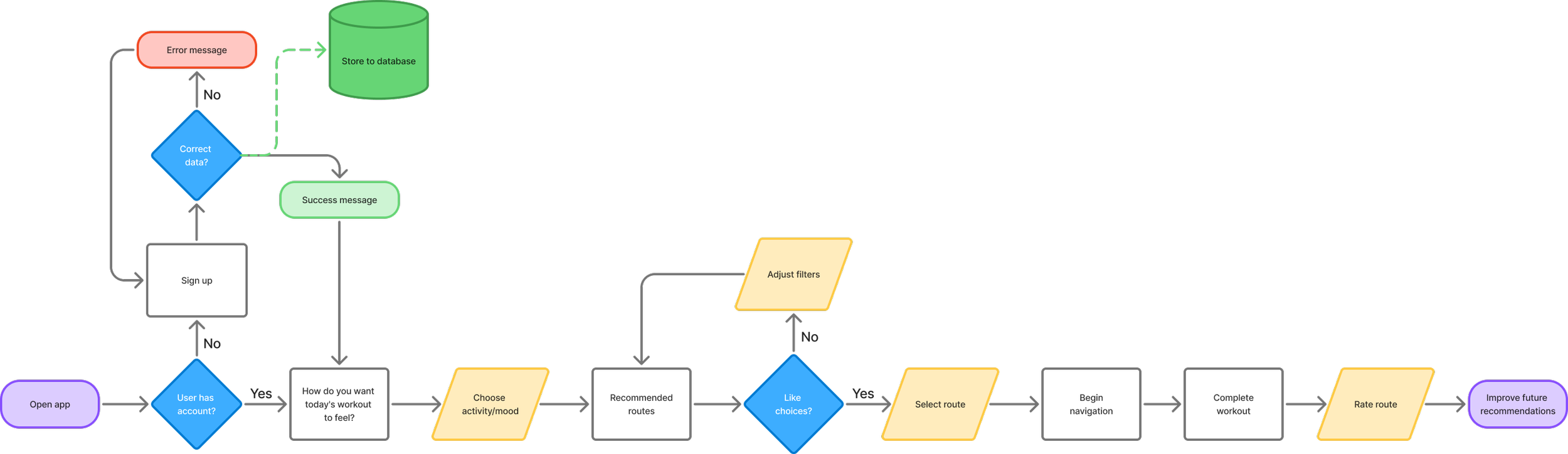
USER FLOW
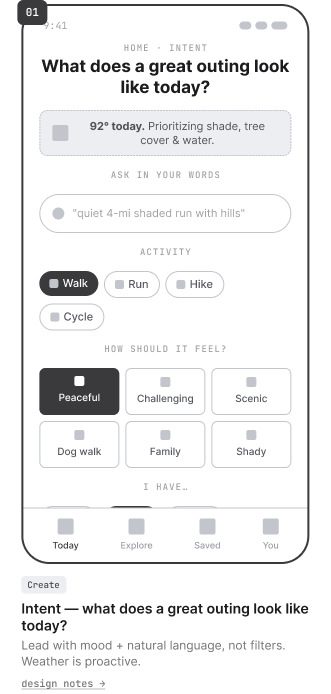
WIREFRAMES
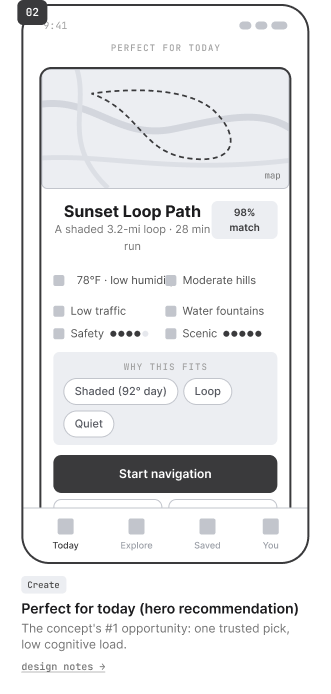
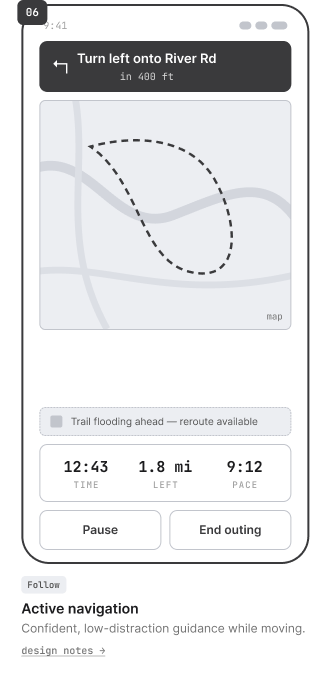
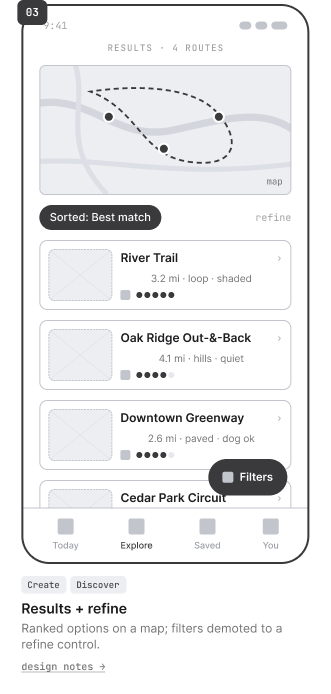
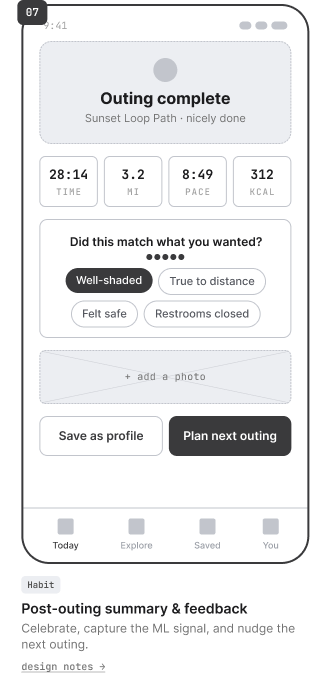
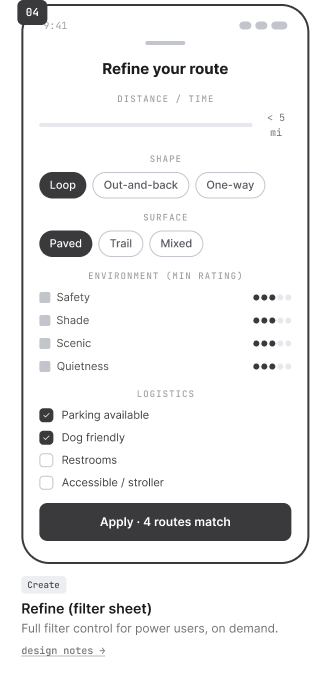
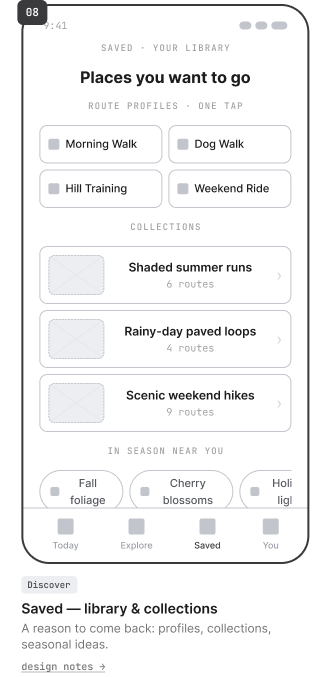
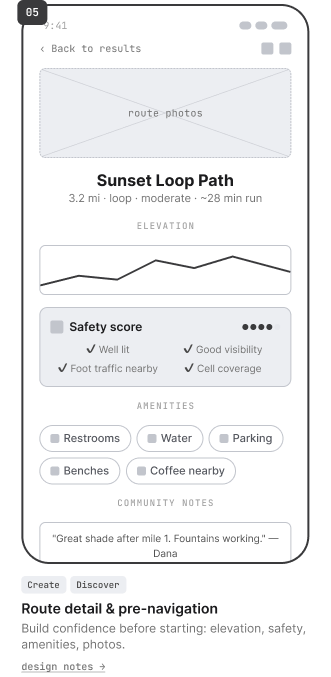
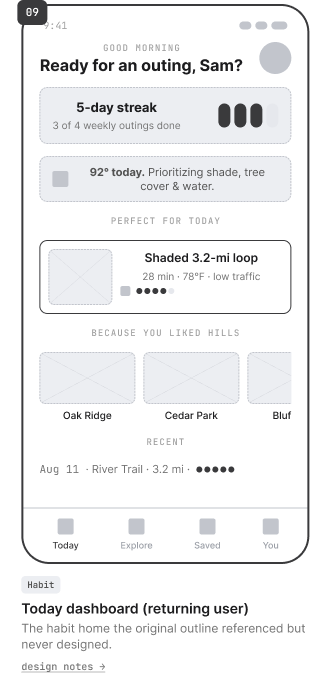
MOOD BOARD & LOGO EXPLORATION
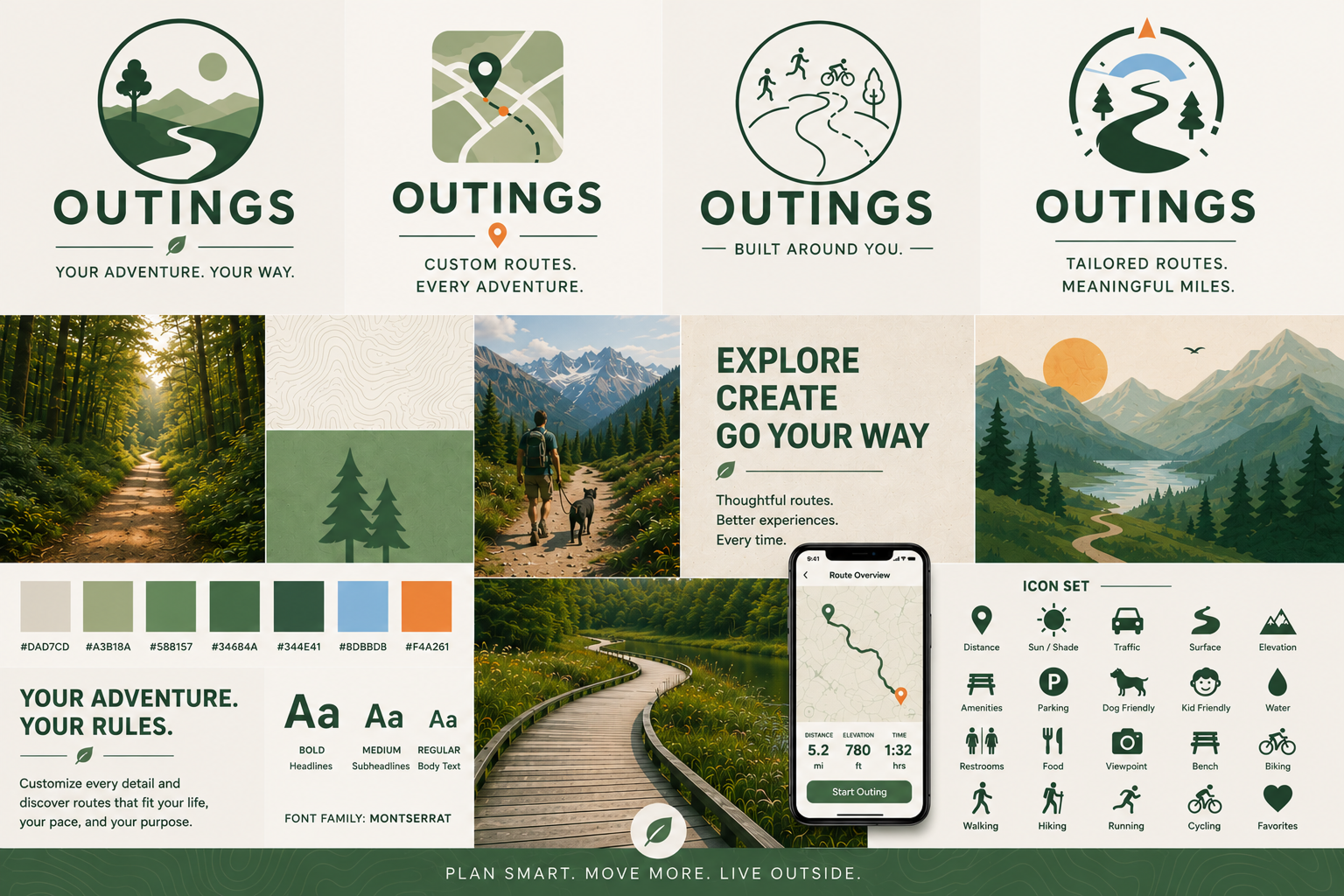
I used AI to generate a mood board and some logo concepts. I knew I wanted the app’s aesthetic to be nature-inspired. My prompts guided the colors and textures to follow this theme.
I did a quick logo exploration and decided on the last one. I made a few subtle changes to the colors and the tagline.


DESIGN SYSTEM
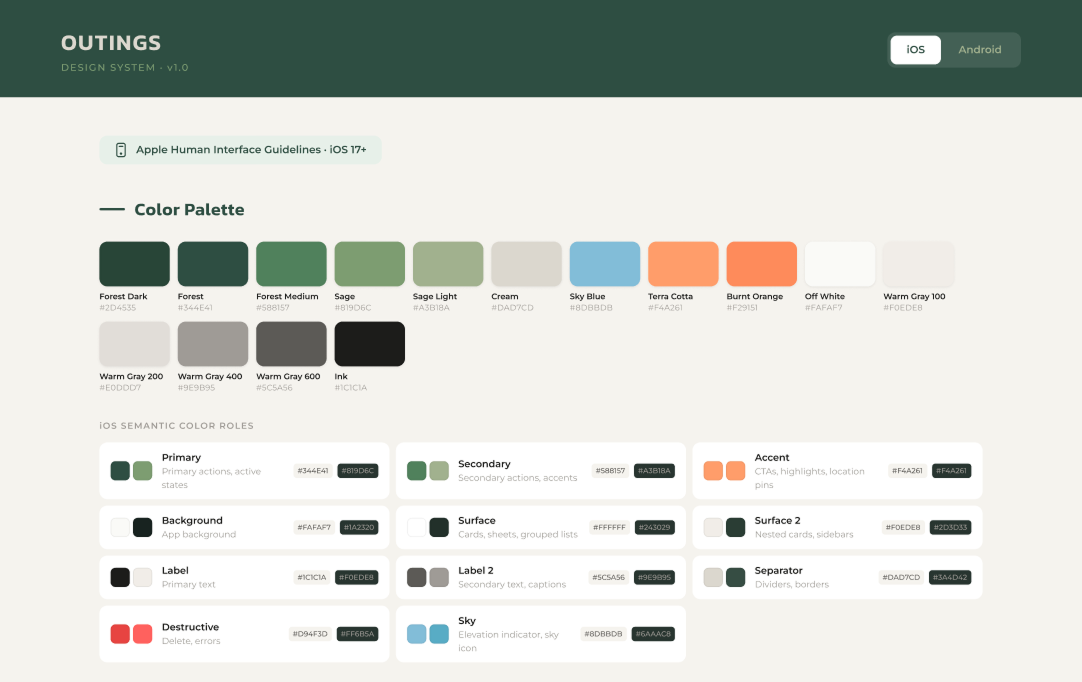
Starting with the mood board's color palette, Apple’s Human Interface Guidelines, and Google’s Material Design 3, I used Figma Make to create a design system for Outings. Figma generated Markdown files I can use when I’m ready to build a site/app, along with a visual reference.
You can toggle between iOS and Android to see variations in typography, spacing, corner radius, icons, components, and elevation between the two environments.
PROTOTYPES
UX Principles to Guide the Design
Start with intention, not location – Lead with "How do you want today's workout to feel?" and let location become a supporting input rather than the primary one.
Recommend before asking users to search – Present a few highly relevant routes first; let advanced filters refine only when needed.
Explain why a route is a match – Show concise reasons such as "82% shaded," "Quiet streets," "Great for dogs," or "Perfect for today's heat."
Make confidence visible – Make safety, weather suitability, elevation, and amenities easy to compare at a glance.
Learn over time – Every completed route, favorite, and rating should improve future recommendations so the app feels increasingly personal.